
How Network Notifications Speed Up Incident Response
Learn how network notifications reduce MTTA, improve routing and help IT teams resolve incidents before users notice.
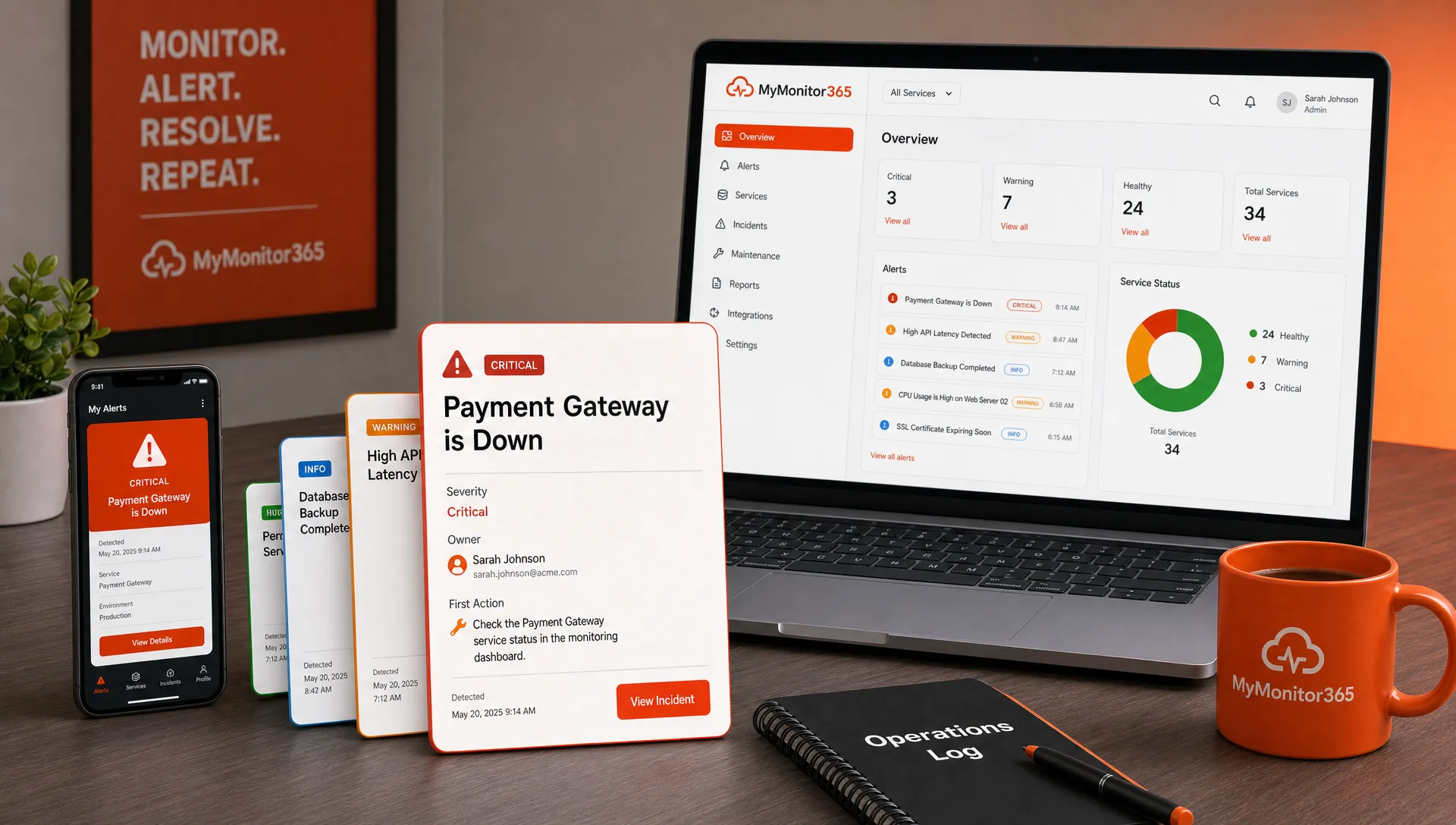
A monitoring tool can detect a problem in seconds, but incident response only accelerates when the right person receives the right signal at the right time. That is where network notifications matter. They turn monitoring data into action, helping IT operations teams confirm impact, assign ownership and start remediation before users open tickets.
For IT managers, network teams, MSPs and CIOs, the real question is not whether alerts exist. Most organizations already have too many. The question is whether notifications shorten the path from detection to resolution. A good notification should reduce uncertainty, not add another message to a noisy channel.
Why network notifications shape incident response speed
Incident response often slows down in the gap between detection and ownership. A website check fails, a DNS record changes, a TCP port stops responding or an SSL certificate starts approaching expiration. If the signal reaches a generic inbox with little context, the team still has to decide whether the issue is real, who owns it and what system to check first.
That delay increases mean time to acknowledge, often called MTTA. It also pushes mean time to resolution, or MTTR, in the wrong direction. NIST’s incident handling guidance separates detection and analysis from containment and recovery for a reason: teams move faster when they can quickly validate the incident and choose the next action.
Network notifications speed up incident response by making that handoff cleaner. Instead of forcing engineers to hunt for basic facts, the notification should answer a few immediate questions: what failed, where it failed, how many checks agree, when it started and what service may be affected.
In practice, this means notification design is as important as monitoring coverage. A technically accurate alert can still be operationally weak if it lacks severity, ownership or diagnostic context.
What makes a network notification actionable?
An actionable notification is specific enough for a responder to make a decision without opening five systems first. It does not need to contain every packet trace or log line. It does need to provide enough evidence to separate a minor anomaly from a business-impacting incident.
For network and infrastructure teams, the most useful notifications usually include:
- The affected service, endpoint, port or domain
- The monitoring layer that failed, such as HTTP, ICMP, TCP, DNS or SSL
- The check location or locations reporting the problem
- The observed symptom, such as timeout, connection refused, certificate mismatch or unexpected content
- The severity level and escalation target
- The first suggested diagnostic path
Here is a simple comparison of weak notifications and response-ready notifications:
| Notification element | Weak version | Response-ready version |
|---|---|---|
| Service identity | “Host down” | “api.company.com failed HTTPS check” |
| Signal layer | Not specified | HTTP 503 from three external locations |
| Scope | Unknown | Failing in US East and Europe, healthy in US West |
| Business context | Missing | Customer login API affected |
| Ownership | Generic IT inbox | API on-call and network escalation group |
| Next step | None | Check recent deployment, upstream load balancer and DNS status |
The difference is operational. The weak version triggers investigation. The response-ready version triggers action.
If your team is refining alert design more broadly, the principles in network alerts that help teams act before users notice pair well with a notification strategy because alerts and notifications need to work together, not as separate systems.
How network notifications reduce MTTA
MTTA is often the first metric that improves when notifications are tuned correctly. A responder can acknowledge faster when the notification is credible, targeted and enriched with context.
Multi-location checks are especially useful. A single failed probe can point to a transient route issue, a local resolver problem or a short network blip. Multiple failing locations suggest a wider incident. When the notification makes that distinction clear, the responder does not waste the first few minutes debating whether the alert is real.
The same applies to layered monitoring. A ping failure tells one story. A TCP port failure tells another. An HTTP check returning a 500 error while ICMP and TCP remain healthy points the team toward the application layer rather than basic connectivity. DNS change notifications can reveal misconfigurations that look like application outages from the user’s perspective. SSL notifications can prevent incidents before an expired or mismatched certificate causes browser warnings and API failures.
For MSPs and IT leaders supporting multiple business environments, this routing discipline becomes even more important. Many organizations work with a proactive IT support and business continuity partner because faster triage depends on both monitoring tools and clear operational ownership.
Routing and escalation turn speed into accountability
A notification that reaches everyone is often slower than a notification that reaches the right owner. Broad distribution feels safe, but it can create diffusion of responsibility. People assume someone else is handling the incident.
Good routing starts with service ownership. Every monitored service should have a defined technical owner, a business priority and an escalation path. For MSPs, ownership may also include the customer, contract tier or internal support queue. For enterprise IT, ownership may involve the network team, application team, security team, service desk or vendor manager.
Severity rules should reflect business impact rather than technical curiosity. A failed public checkout endpoint deserves a different notification path than a single failed test node in a lab environment. A DNS change on a production domain should be treated differently from a planned change during a maintenance window.
| Severity | Typical condition | Notification behavior |
|---|---|---|
| Critical | User-facing outage, failed production API or widespread connectivity loss | Immediate notification to on-call owner with escalation if unacknowledged |
| High | Degraded performance, partial regional failure or risky configuration change | Notify service owner and operations channel |
| Medium | Non-urgent warning, expiring SSL certificate or intermittent failure | Create notification with business-hours follow-up |
| Low | Informational state change or expected maintenance activity | Log for visibility without paging responders |
Escalation should be time-aware. If a critical notification is not acknowledged within the expected response window, it should move to the next contact or channel. If the system is in a maintenance window, notifications should be suppressed or clearly marked so responders are not trained to ignore legitimate alerts later.
Context turns a notification into a diagnosis shortcut
The fastest incident responders do not simply receive more alerts. They receive better clues. A network notification should give the responder a head start on root cause analysis.
For example, an SSL notification should include the domain, certificate status, expiration timing and mismatch details if available. A DNS notification should show what changed, such as an A record, CNAME, MX record or nameserver update. A TCP port notification should identify the host, port and connection state. An HTTP or API notification should include status code, response timing and whether a keyword or content check failed.
This context is especially useful when combined with logs. Monitoring tells you that a user-visible symptom exists. Logs often explain what changed inside the system. Teams that separate the two too sharply spend extra time moving between tools and timelines. A practical approach is to use monitoring for detection and logging for deeper analysis, as covered in monitoring and logging best practices for incident response.
Audit logs also matter. During an incident, responders need to know whether a configuration change, DNS update, certificate renewal or maintenance action happened before the notification. That timeline can prevent guesswork and keep the response focused.
Common notification mistakes that slow response
Network notifications are meant to create urgency, but poor design can create hesitation. If every notification looks equally important, responders learn to scan, defer or ignore them. That is alert fatigue in practical terms.
The most common mistakes are easy to recognize:
- Sending every failed probe as a separate notification
- Using the same severity for production outages and minor warnings
- Not including service ownership or escalation details
- Failing to suppress notifications during planned maintenance
- Alerting only on infrastructure health while missing user-facing symptoms
- Sending notifications without location, layer or timing context
- Keeping old checks active after services are retired or renamed
The fix is not to reduce visibility. The fix is to reduce unnecessary interruption while preserving fast escalation for real incidents. If noise has become a response bottleneck, monitoring critical services without alert fatigue is a useful next step because it focuses on service tiering, symptom-based checks and practical suppression rules.
A practical workflow for faster incident response
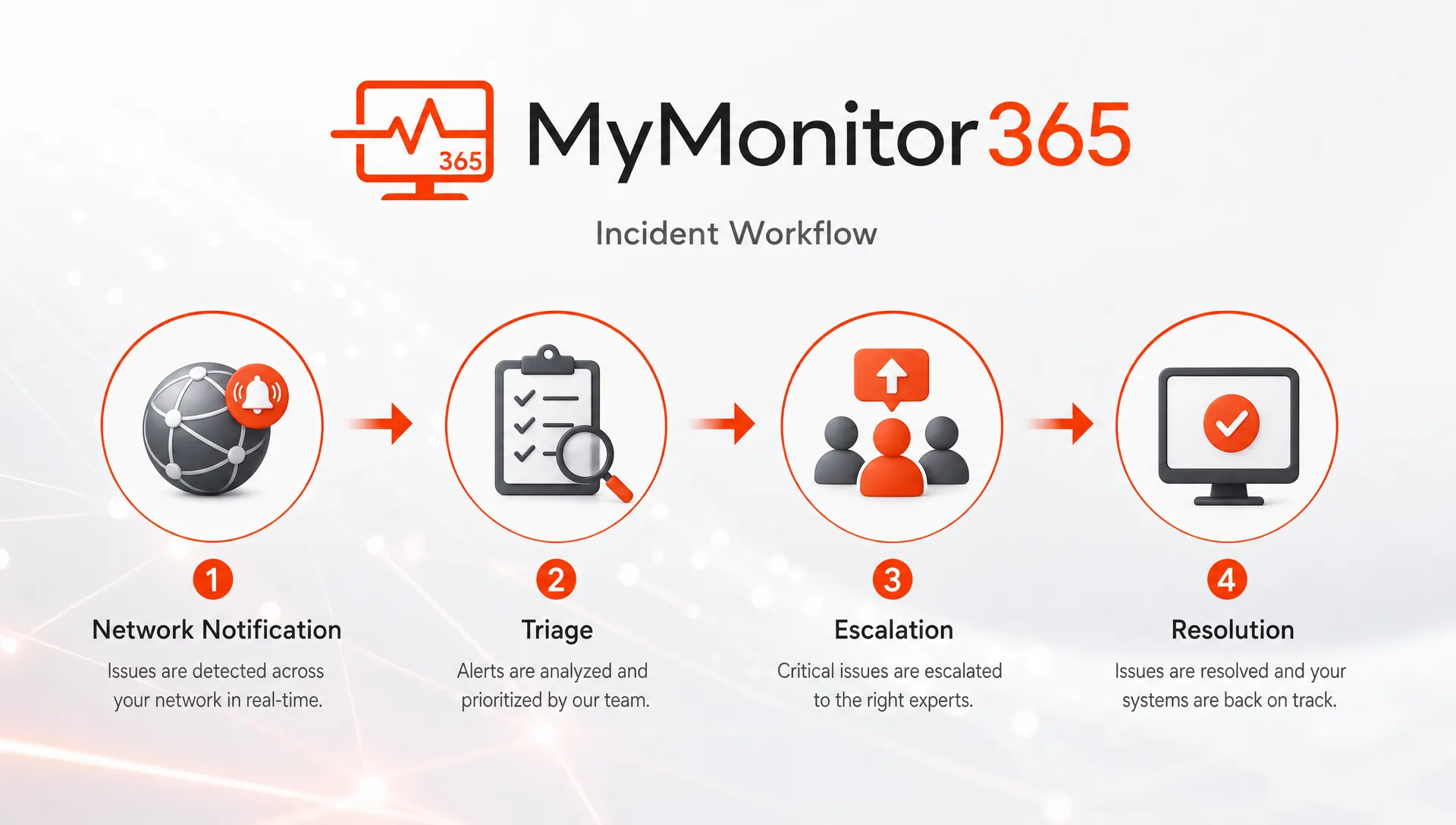
Network notifications work best when they are part of a defined response workflow. The workflow does not need to be complex, but it should be consistent enough that responders know what to do under pressure.
Start before the incident. Define critical services, map each service to an owner and document escalation paths. Decide which failures need immediate paging and which should create business-hours tasks. Set maintenance windows for planned changes so responders do not receive avoidable notifications.
When the first notification fires, the responder should be able to validate impact quickly. Multi-location checks, HTTP status, DNS state, SSL status and TCP reachability can narrow the problem area in minutes. If multiple layers fail at once, the team can escalate toward network or hosting infrastructure. If only application-level checks fail, the application team can begin remediation without waiting for a network handoff.
During the incident, notifications should support coordination. Updates should clarify whether the issue is getting worse, stabilizing or recovering. Duplicate messages should be grouped where possible, so the incident channel remains readable.
After resolution, use the notification history as part of the post-incident review. Identify whether the first notification reached the correct owner, whether the severity was accurate and whether missing context caused delay. This turns every incident into a tuning opportunity.
Metrics that show whether notifications are working
CIOs and IT operations leaders should evaluate notification quality with response metrics, not just uptime percentages. Uptime matters, but it does not reveal whether the team is getting faster or more focused.
Useful metrics include:
| Metric | What it tells you |
|---|---|
| Mean time to acknowledge | Whether notifications reach the right responder quickly |
| Mean time to resolution | Whether notification context supports faster remediation |
| Escalation accuracy | Whether incidents are routed to the correct owner |
| Duplicate notification rate | Whether noise is cluttering incident channels |
| Actionable notification percentage | Whether alerts contain enough context to drive a decision |
| After-hours page quality | Whether urgent interruptions are justified |
| User-reported before detected | Whether monitoring is catching incidents before customers do |
These metrics help leaders move beyond “we have monitoring” toward “our monitoring improves operations.” That distinction matters for budget decisions, MSP service quality and internal reliability goals.
Where MyMonitor365 fits into the notification loop
MyMonitor365 is built for teams that need infrastructure monitoring across websites, servers, DNS, SSL and network services. Its checks cover HTTP and API monitoring, ping and ICMP, TCP ports, SSL security, DNS changes and keyword content checks. For incident response, that breadth helps teams receive notifications tied to the layer that is actually failing.
Multi-location monitoring can help separate local blips from broader outages. Maintenance windows help reduce avoidable interruptions during planned work. Alert integrations support the collaboration channels teams already use, and audit logs provide useful history when responders need to understand what changed.
For IT operations teams and MSPs, the goal is simple: detect issues early, notify the right people and reduce the time between symptom and action. When network notifications are configured with ownership, context and escalation in mind, monitoring becomes an operational advantage rather than a background system.
Frequently Asked Questions
What are network notifications? Network notifications are messages generated by monitoring systems when network, infrastructure or service conditions change. They can report outages, degraded performance, DNS changes, SSL problems, port failures or HTTP and API errors.
How do network notifications speed up incident response? They reduce the time it takes to detect, acknowledge and route incidents. When notifications include the affected service, failure type, location, severity and owner, responders can begin troubleshooting without first gathering basic facts.
What is the difference between an alert and a notification? An alert is the monitoring condition that indicates something needs attention. A notification is the delivery of that alert to a person, team or system through channels such as email, chat, SMS or incident management tools.
How can teams avoid notification fatigue? Teams can reduce fatigue by using severity levels, maintenance windows, deduplication, ownership rules and symptom-based checks. Critical notifications should be urgent and actionable, while lower-priority events should avoid interrupting responders unnecessarily.
Which network events should trigger immediate notifications? Immediate notifications are best reserved for user-facing outages, failed production APIs, widespread connectivity loss, critical DNS changes, expired or invalid SSL certificates and failures affecting high-priority business services.
Turn network notifications into faster action
If your team already monitors uptime but still loses time during triage, the next improvement is notification quality. Focus on ownership, context, severity and escalation, then measure whether MTTA and MTTR improve.
MyMonitor365 helps IT teams and MSPs monitor websites, APIs, DNS, SSL and network services with timely alerts and multi-location checks. Use it to detect incidents earlier, route notifications more clearly and resolve outages before users notice.
Hashtags
#NetworkNotifications #IncidentResponse #ITOps #NetworkMonitoring #UptimeMonitoring #MSP #InfrastructureMonitoring #MyMonitor365