
Certificate SSL TLS Basics for IT Teams
Learn certificate SSL TLS basics for IT teams: how certificates work, common risks, and monitoring steps to prevent outages.
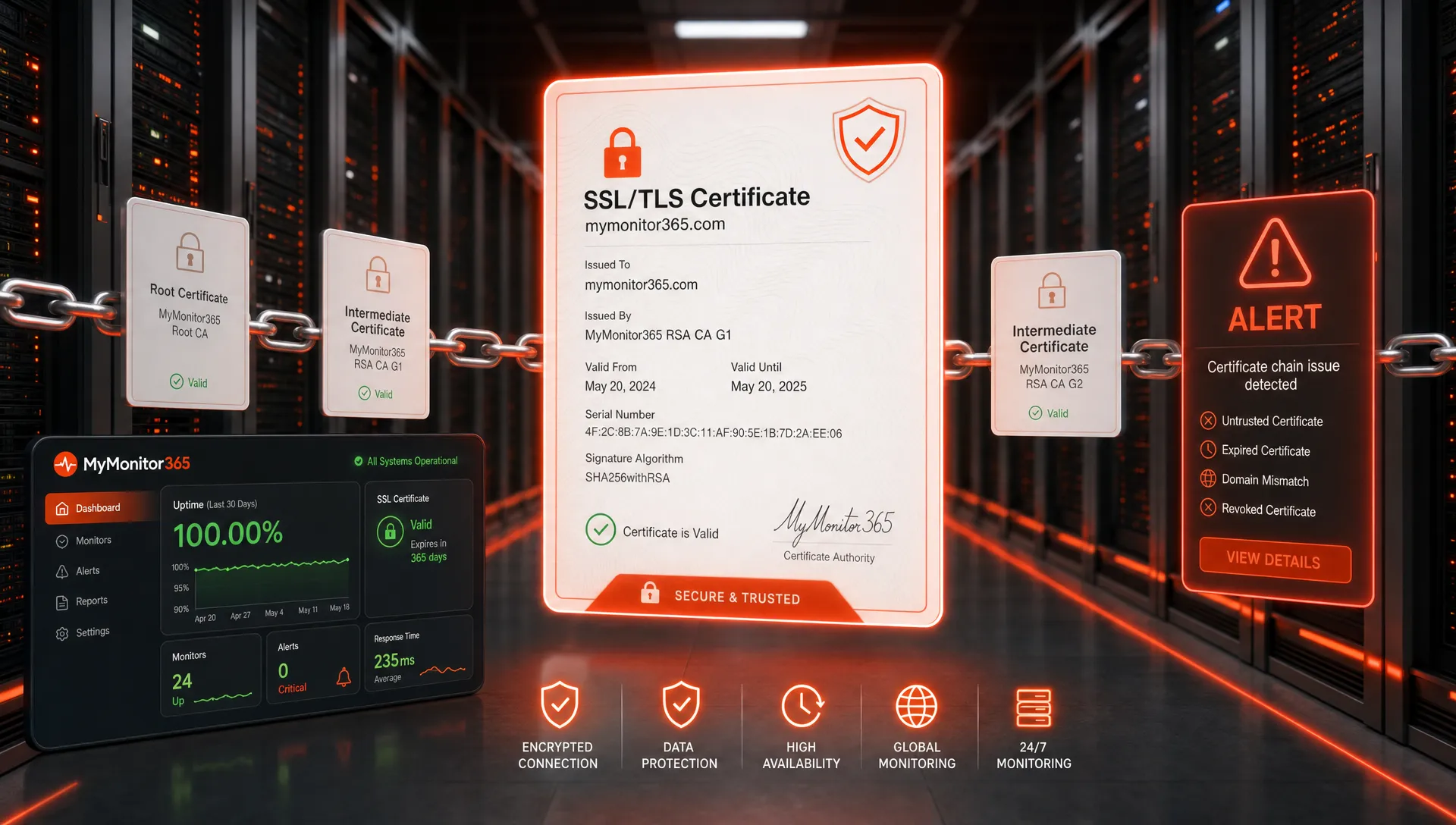
For IT teams, certificate SSL TLS basics are not just browser padlock trivia. A certificate problem can turn a healthy application into an outage, break API clients, trigger compliance concerns, and create a flood of user tickets in minutes.
The confusing part is that people use the terms interchangeably. You will hear SSL certificate, TLS certificate, HTTPS certificate, public certificate, private certificate, and CA-issued certificate in the same conversation. In practice, modern systems use TLS, while SSL remains the legacy name most people still say.
This guide explains the fundamentals IT teams need to manage certificates confidently, troubleshoot issues faster, and build a monitoring strategy that catches certificate failures before users do.
SSL, TLS, and certificates: what each term means
SSL stands for Secure Sockets Layer. It was the original protocol used to encrypt traffic between clients and servers, but it is now obsolete. SSL 2.0 and SSL 3.0 should not be used.
TLS stands for Transport Layer Security. It is the modern protocol that replaced SSL. TLS 1.2 and TLS 1.3 are the practical standards for production systems today. TLS 1.3 is defined in RFC 8446, and many security baselines now recommend disabling older protocol versions.
A certificate is the identity document a server presents during a TLS connection. It helps the client answer three questions:
- Is this server allowed to represent this hostname?
- Was the certificate issued by a trusted certificate authority?
- Is the certificate currently valid and usable for secure communication?
A certificate does not encrypt traffic by itself. Instead, it binds a public key to a domain name or service identity. TLS then uses cryptographic negotiation to establish an encrypted session.
That distinction matters operationally. If the certificate is expired, missing a required hostname, chained incorrectly, or issued by an untrusted authority, the encrypted service can fail even when the server, application, and network are all running.
What an SSL/TLS certificate contains
A certificate is a structured file with identity, cryptographic, and trust information. IT teams do not need to memorize every field, but they should understand the details that commonly cause incidents.
| Certificate detail | What it means | Why IT teams care |
|---|---|---|
| Subject and SANs | The domain names or identities covered by the certificate | A missing Subject Alternative Name can cause browser or API trust errors |
| Issuer | The certificate authority that signed the certificate | Clients must trust the issuing CA or its root chain |
| Validity period | The start and expiration dates | Expired certificates are one of the most common preventable outages |
| Public key | The public half of the key pair used in TLS | Weak keys or unsupported algorithms can fail security scans |
| Certificate chain | The server, intermediate, and root CA path | Missing intermediate certificates can break some clients |
| Key usage and extended key usage | The approved purposes for the certificate | A certificate must be valid for server authentication when used on a web service |
| Revocation information | OCSP or CRL locations for checking revoked certificates | Revoked certificates may be distrusted before their expiration date |
For public websites, the certificate is usually issued by a public certificate authority that follows the CA/Browser Forum Baseline Requirements. For internal systems, an organization may use a private CA, but that only works reliably when managed devices trust the private root certificate.
If you need a hands-on review process, MyMonitor365 also has a practical guide on how to check an SSL certificate and what to look for, including expiry, issuer, SANs, certificate chain, and TLS configuration.
How the TLS handshake uses the certificate
When a browser, API client, or monitoring probe connects to an HTTPS service, it performs a TLS handshake before application data is exchanged. The exact flow differs by TLS version, but the basic logic is consistent.
The client starts by sending connection preferences, including supported TLS versions, cipher suites, and often the hostname it wants through Server Name Indication, usually called SNI. SNI is especially important when multiple certificates are hosted on the same IP address, such as behind a load balancer or CDN.
The server responds with its certificate and the information needed to negotiate a secure session. The client then validates the certificate chain, checks that the hostname matches, verifies that the certificate is within its validity period, and confirms the cryptographic parameters are acceptable.
If validation succeeds, the client and server establish shared session keys and begin encrypted communication. If validation fails, the connection may be blocked, downgraded by the application, or shown as a security warning depending on the client.
This is why a certificate incident can look like an application outage. The web server may be responding perfectly, but users cannot establish a trusted TLS session.
Certificate types IT teams commonly manage
Most IT teams deal with a mix of public and private certificates. The right type depends on the service, hostname structure, ownership model, and client population.
| Certificate type | Common use case | Operational consideration |
|---|---|---|
| Domain validated certificate | Public websites, APIs, SaaS apps | Fast to issue, proves domain control but not organizational identity |
| Organization validated certificate | Business websites or services that require additional identity validation | Requires more administrative validation than DV |
| Wildcard certificate | Many subdomains under one domain, such as *.example.com |
Reduces certificate count but increases blast radius if the private key is exposed |
| SAN or multi-domain certificate | Multiple hostnames on one certificate | Convenient for related services, but renewal affects every included name |
| Private CA certificate | Internal apps, VPNs, device management, lab systems | Requires careful trust distribution and lifecycle management |
Wildcard and SAN certificates can simplify operations, but they are not automatically safer. A single certificate covering many names can create a larger incident if it expires, is misissued, or has its private key compromised.
For critical systems, certificate design should follow service ownership. If separate teams deploy and renew different services, separate certificates often reduce coordination risk.
The certificate failures that create real outages
Certificate problems tend to happen at boundaries: renewal, migration, DNS change, CDN change, load balancer update, or emergency replacement. Many incidents are not caused by cryptography mistakes. They happen because a certificate was installed in one place but not another, or because ownership was unclear.
| Failure mode | Typical symptom | Root cause to investigate |
|---|---|---|
| Expired certificate | Browser warning, API client failure, webhook failure | Renewal did not run, approval stalled, or new certificate was not deployed |
| Hostname mismatch | Error showing certificate is not valid for the domain | Wrong certificate, missing SAN, SNI issue, or CDN routing error |
| Incomplete chain | Works in some clients but fails in others | Intermediate certificate missing or misconfigured |
| Untrusted issuer | Internal users connect, external users fail, or the reverse | Private CA not trusted by client population |
| Weak TLS configuration | Security scanner failure or client compatibility issue | Deprecated protocol or cipher suite still enabled |
| DNS and certificate mismatch | Traffic reaches an endpoint with the wrong certificate | DNS record points to the wrong load balancer, CDN, or environment |
| Renewal deployed inconsistently | Some regions work while others fail | Multi-region infrastructure or CDN edge propagation issue |
These issues are preventable, but only if certificates are treated as production dependencies rather than one-time setup tasks.
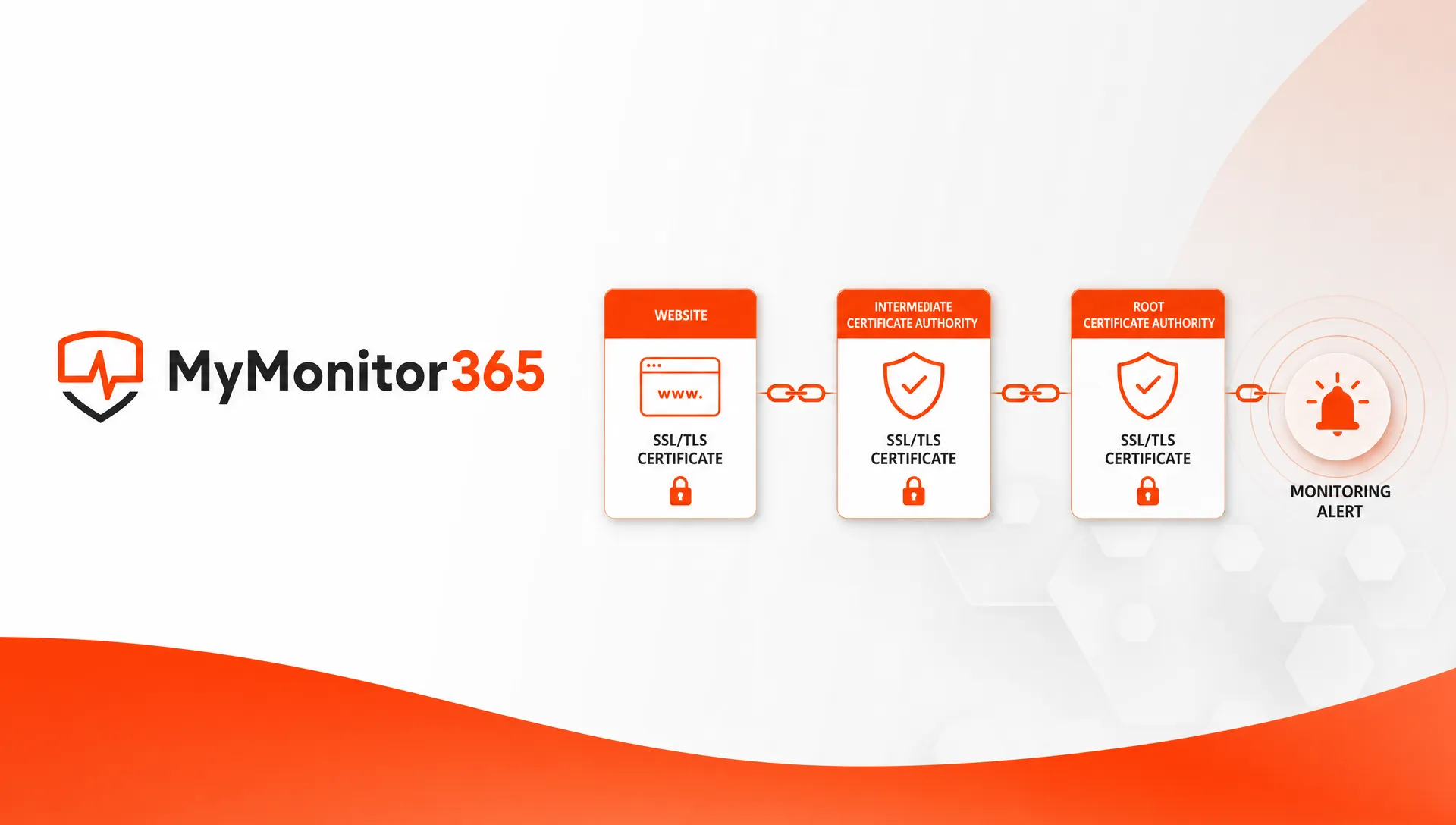
A practical SSL/TLS baseline for IT teams
A strong certificate program does not need to be complicated. It needs clear ownership, consistent renewal, secure configuration, and external monitoring.
Start with an inventory. Every public hostname, internal service, load balancer listener, API endpoint, mail gateway, VPN portal, and management console should have an identified owner. Unknown certificates are future incidents.
Next, standardize issuance and renewal. Automation is usually better than calendar reminders, especially as public certificate lifetimes continue to shorten across the CA ecosystem. ACME-based renewal can reduce manual work, but only when deployment, reload, permissions, and failure alerts are tested end to end.
Then harden your TLS configuration. The NIST TLS guidance is a useful reference for organizations that need a formal baseline. In general, teams should prefer TLS 1.2 or TLS 1.3, disable obsolete protocols, remove weak ciphers, and verify that configuration changes do not break required clients.
Finally, monitor from outside the environment. Internal checks are helpful, but external monitoring catches the user-facing reality: DNS resolution, routing, certificate presentation, TLS negotiation, and HTTP response from the perspective of real clients.
| Control | Good baseline | Failure it helps prevent |
|---|---|---|
| Certificate inventory | Track every certificate, hostname, owner, and environment | Unknown or abandoned certificates expiring silently |
| Automated renewal | Use repeatable renewal and deployment workflows | Manual renewal delays and last-minute emergencies |
| Expiry alerting | Alert before expiration with enough time to act | Avoidable outages from missed renewal dates |
| Chain validation | Confirm intermediates are served correctly | Client-specific trust failures |
| DNS monitoring | Watch for unexpected DNS changes | Traffic reaching endpoints with the wrong certificate |
| Maintenance windows | Coordinate certificate and TLS changes | Alerts during planned work and uncontrolled production changes |
| Access controls | Protect private keys and CA credentials | Key exposure, unauthorized issuance, and insider risk |
Where certificate monitoring fits in the infrastructure stack
Certificate monitoring is most effective when it is part of a layered observability approach. A valid certificate does not prove that the application is healthy, and a healthy application does not prove that TLS is trusted.
For example, an HTTPS API can pass a TCP port check on port 443 while still failing TLS validation. A website can return HTTP 200 in one region but present an old certificate in another region because of CDN propagation. A service can renew successfully but still fail for users because DNS now points to a different endpoint.
That is why certificate checks should sit beside HTTP/API monitoring, DNS checks, ping and ICMP, TCP port monitoring, and multi-location checks. MyMonitor365 explains this broader approach in its guide to monitoring your full infrastructure stack.
For IT teams and MSPs, the key is to alert on the conditions that become tickets if nobody catches them first. That includes certificate expiry, HTTPS availability, SSL security, DNS changes, and endpoint reachability from more than one location.
Quick certificate SSL TLS checklist
Use this as a practical review during onboarding, audits, migrations, or incident retrospectives.
- Confirm every public hostname has a known certificate owner.
- Verify SANs match all production hostnames, including
www, API, regional, and customer-facing names. - Check that intermediate certificates are installed and served correctly.
- Disable obsolete SSL and early TLS versions where client requirements allow it.
- Monitor expiration dates with enough lead time for renewal, approval, deployment, and rollback.
- Test renewal automation before relying on it for critical services.
- Watch DNS records that route users to TLS endpoints.
- Document private CA trust requirements for internal services.
- Rotate exposed private keys and reissue certificates after suspected compromise.
- Include certificate checks in incident reviews, not just security audits.
The best certificate programs are boring. Certificates renew without drama, alerts fire before customers are affected, and ownership is clear when something changes.
Frequently Asked Questions
Is SSL the same as TLS? No. SSL is the older protocol family and is now obsolete. TLS is the modern protocol used for secure HTTPS connections. People still say SSL certificate because the phrase is widely understood, but most production systems use TLS.
What is the difference between HTTPS and TLS? HTTPS is HTTP sent over TLS. TLS provides encryption, integrity, and server identity validation. HTTPS is the application-layer protocol users recognize in browsers and APIs.
Why does a renewed certificate still cause errors? Renewal only creates a new certificate. It still has to be deployed to every load balancer, server, CDN, proxy, or region that presents the certificate. Errors can also come from a missing intermediate certificate, wrong SAN, or DNS pointing to an old endpoint.
How early should IT teams monitor certificate expiration? Teams should monitor far enough ahead to allow renewal, approval, deployment, testing, and escalation. For critical systems, a single alert near the expiration date is not enough. Use multiple warning thresholds and route alerts to the service owner.
Are wildcard certificates a good idea? They can be useful, especially for many subdomains under one domain. The tradeoff is blast radius. If a wildcard certificate expires or its private key is compromised, many services may be affected at once.
Do internal services need trusted certificates? Yes, if users, devices, agents, or applications need to connect securely without warnings or custom exceptions. Internal services can use certificates from a private CA, but managed clients must trust that CA.
Keep certificate issues out of the incident queue
Certificate failures are small configuration problems with a large operational impact. The fastest way to reduce risk is to combine sound certificate practices with continuous monitoring.
MyMonitor365 helps IT and MSP teams monitor SSL security alongside HTTP/API availability, DNS changes, ping and ICMP checks, TCP port checks, multi-location monitoring, maintenance windows, and alert integrations. If you want to catch certificate and uptime issues before users report them, start with a monitoring setup that sees the full path to your services.
Hashtags
#SSLCertificate #TLS #CertificateManagement #UptimeMonitoring #NetworkMonitoring #ITTeams #MSP #MyMonitor365