
How to Protect Mission Critical Services From Downtime
Protect mission critical services from downtime with practical monitoring, redundancy, alerting, and incident response steps for IT and MSP teams.
Downtime is not only a technical problem. For IT teams, MSPs, SaaS companies, ecommerce operators, and internal platform teams, it can mean missed revenue, broken SLAs, security exposure, and a flood of support tickets before anyone has diagnosed the root cause.
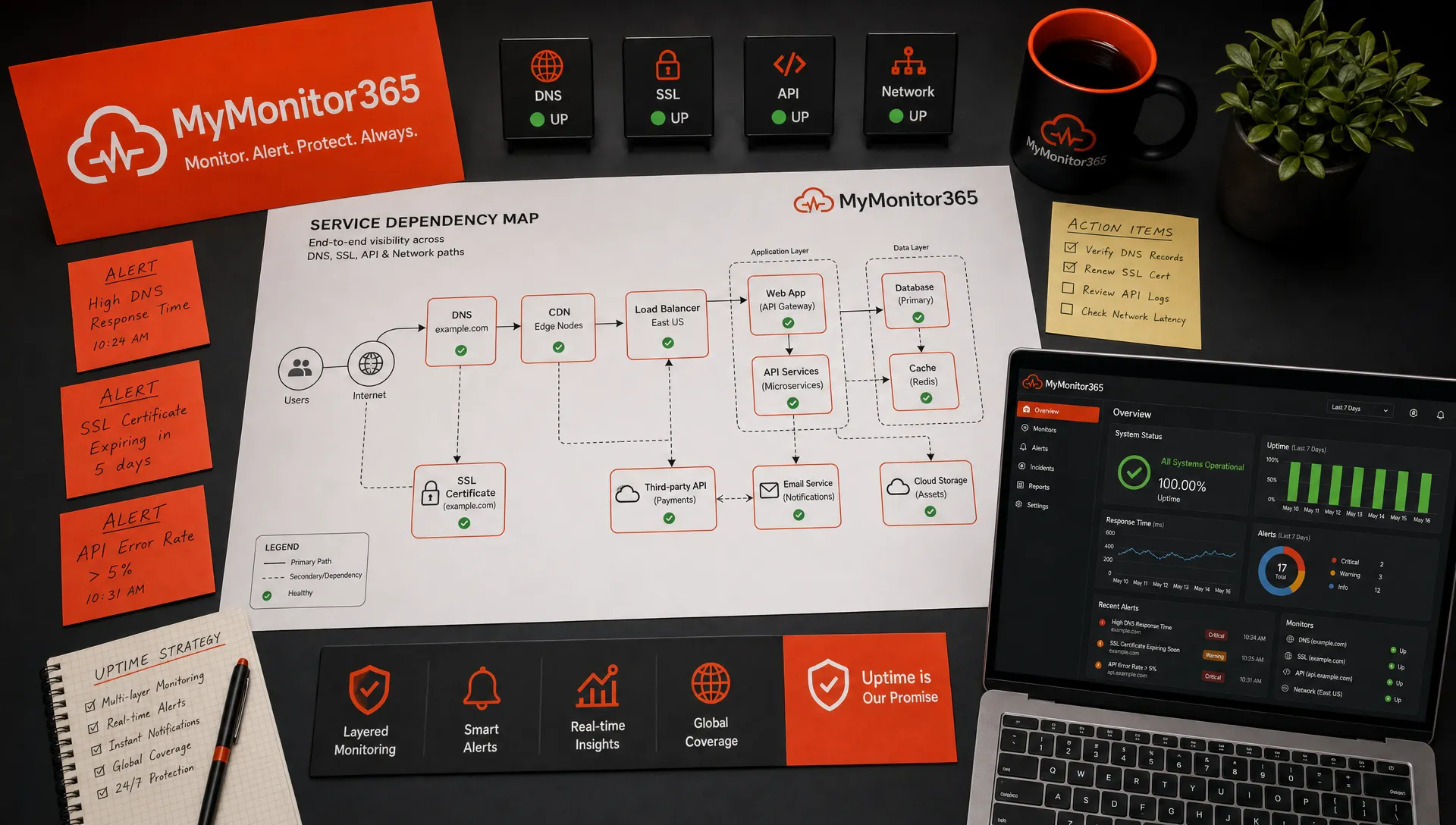
Protecting mission critical services from downtime starts with a simple shift: stop treating uptime as a single server metric. A service stays available only when every layer behind it works together, including DNS, SSL, network paths, application endpoints, APIs, ports, databases, third-party dependencies, alerts, people, and processes.
No organization can guarantee that nothing will ever fail. The goal is to reduce the chance of failure, detect problems before users do, and recover fast when something breaks.
What makes a service mission critical?
A mission critical service is any system whose failure directly disrupts essential operations, customer access, revenue, safety, compliance, or contractual commitments. It may be a public website, payment API, VPN gateway, DNS zone, email delivery path, authentication service, call center platform, or internal line-of-business application.
The mistake many teams make is defining mission critical too broadly. If everything is critical, nothing is prioritized. A practical classification model helps you decide where to invest redundancy, monitoring, alerting, escalation, and incident response effort.
| Service tier | Business impact if down | Typical examples | Monitoring priority |
|---|---|---|---|
| Tier 0 | Organization-wide outage or severe revenue impact | DNS, identity provider, core network, payment platform | Continuous, multi-layer, multi-location |
| Tier 1 | Customer-facing or SLA-sensitive disruption | Website, API, client portal, production database | Frequent checks with immediate escalation |
| Tier 2 | Important internal workflow impact | CRM, reporting tools, internal dashboards | Regular checks with business-hours escalation if appropriate |
| Tier 3 | Low urgency or non-production impact | Dev environments, staging tools, archived services | Basic checks and scheduled review |
This classification should not be done only by infrastructure teams. Bring in product owners, customer support, security, operations, and finance. A small internal API may look minor until support explains that every onboarding workflow depends on it.
Define uptime goals before choosing tools
Before you can protect a service, define what acceptable availability actually means. A vague goal like keep the site up is not enough for decision-making. You need clear service level indicators, service level objectives, and recovery targets.
Google’s Site Reliability Engineering guidance popularized the use of service level objectives because they turn reliability into measurable engineering decisions. Instead of asking whether a service is good enough, you can ask whether it is meeting an agreed target.
For each mission critical service, document the following:
- SLI: The indicator you measure, such as successful HTTP requests, API latency, DNS resolution success, or TCP connection availability.
- SLO: The target, such as 99.9 percent monthly availability or 95 percent of API responses under a defined latency threshold.
- RTO: The maximum acceptable time to restore service after an outage.
- RPO: The maximum acceptable data loss window, if data recovery is involved.
- Escalation owner: The person or team responsible when the service fails.
These targets guide architecture and monitoring choices. A public checkout system with a five-minute recovery target needs a very different design than a weekly reporting dashboard.
Map every dependency that can take the service down
Most downtime is not caused by the obvious component. A website may be healthy, but users cannot reach it because DNS is misconfigured. An API may be running, but the authentication provider is unavailable. A server may respond to ping, but the application port is closed. A certificate may expire, causing browsers and clients to reject the connection.
Dependency mapping helps you find weak points before an incident exposes them. Start with the user journey and work backward. For a customer login flow, for example, the dependency chain may include DNS resolution, CDN routing, SSL certificate validation, firewall rules, load balancers, web servers, application services, database access, identity provider, email delivery, and third-party APIs.
A useful dependency map answers practical questions:
- What must work for users to complete the most important action?
- Which services are shared across multiple critical workflows?
- Which dependencies are controlled by third parties?
- Which components have no fallback?
- Which failure would create noisy, duplicate alerts downstream?
This is especially important for MSPs managing several client environments. Shared services such as DNS providers, edge firewalls, backup systems, or remote access platforms can become hidden single points of failure across multiple customers.
Reduce single points of failure
Monitoring tells you when something is wrong, but architecture determines how much damage a failure can cause. The strongest downtime strategy combines both.
Look first for components whose failure can stop an entire service. Common examples include a single DNS provider, one load balancer, one firewall, one database node, one certificate renewal process, one hosting region, or one administrator account with no backup access.
Resilience does not always require a complex multi-region architecture. The right level depends on business impact and recovery targets. For some services, resilience may mean redundant network paths and a documented restore procedure. For others, it may mean active-active infrastructure, automated failover, and continuously tested backups.
The key is to match the investment to the service tier. A Tier 0 identity or DNS system deserves more redundancy and testing than a non-production reporting tool.
Monitor the full path, not just the host
A server being online does not prove the service is usable. Mission critical monitoring should validate the layers users actually depend on.
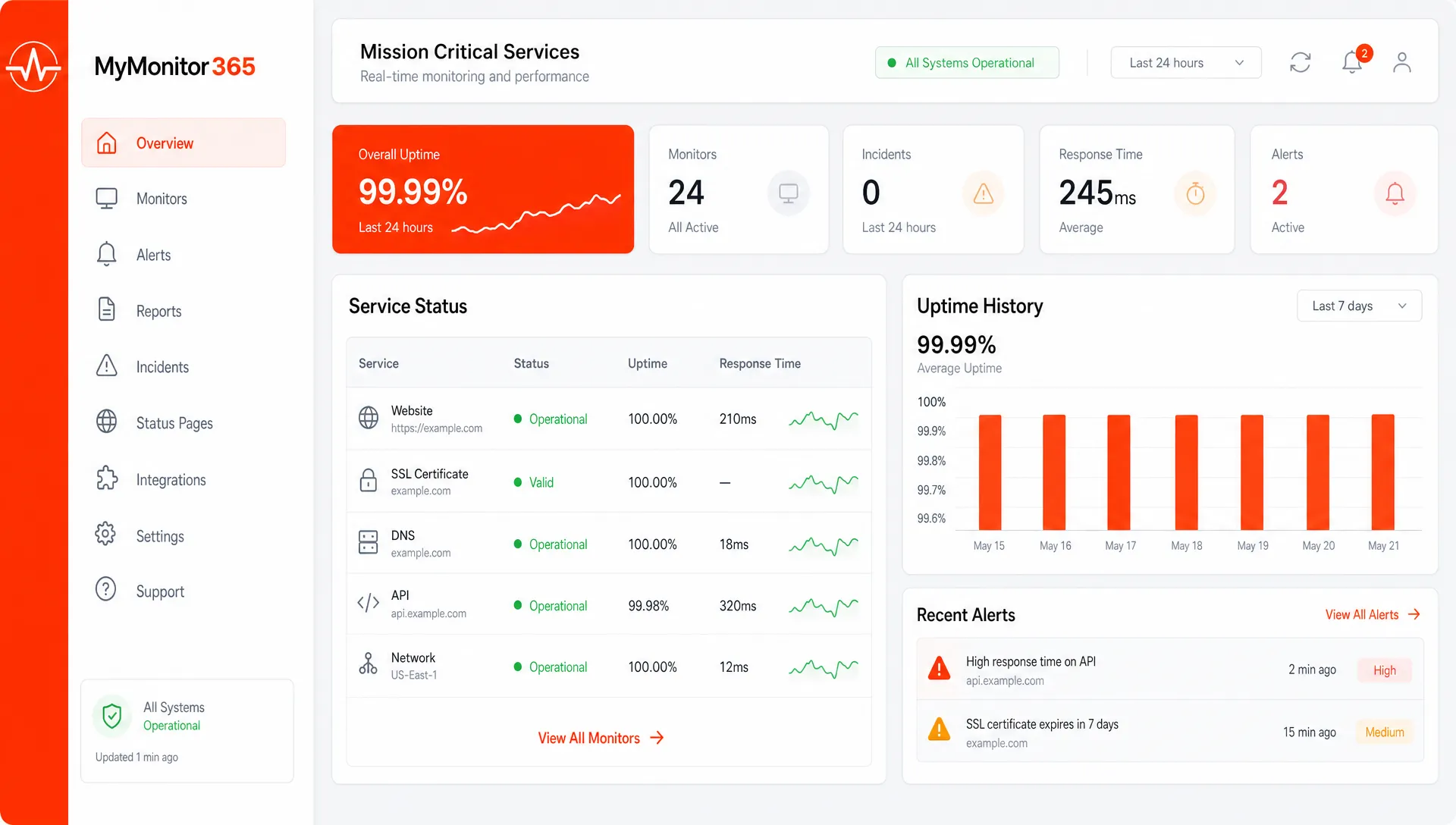
Ping checks are useful for basic reachability, but they cannot confirm that a website is returning the right content, that an API is healthy, that SSL is valid, or that DNS records have not changed unexpectedly. A layered approach gives you earlier and more precise signals.
If you need a broader framework, MyMonitor365 has a detailed guide on how to monitor your full infrastructure stack, from network connectivity to application-facing checks.
| Monitoring layer | What it detects | Why it matters for mission critical services |
|---|---|---|
| HTTP and API checks | Failed pages, API errors, slow responses | Confirms the service works at the application layer |
| Ping and ICMP checks | Host or network reachability issues | Provides fast visibility into basic availability |
| TCP port checks | Closed, blocked, or unreachable service ports | Verifies that required services are accepting connections |
| SSL monitoring | Expired, invalid, or insecure certificates | Prevents browser warnings and failed secure connections |
| DNS monitoring | Record changes or resolution failures | Detects routing and domain issues that can break access |
| Keyword content checks | Wrong page content, error pages, defacement indicators | Confirms users receive the expected response |
| Multi-location checks | Regional outages or routing problems | Shows whether an issue affects one location or everyone |
For example, a ping check may pass while TCP port 443 fails, or an HTTP check may pass from one region but fail from another. That difference matters when you are deciding whether the incident is local, provider-related, DNS-related, or application-specific.
For services exposed through specific ports, understanding TCP port monitoring helps teams distinguish between host availability and actual service availability.
Alert on symptoms that require action
Alerting is where many monitoring programs fail. Too few alerts and outages go unnoticed. Too many alerts and teams become numb, which is just as dangerous.
For mission critical services, alerts should be actionable, routed to the right people, and enriched with enough context to speed up diagnosis. An alert that says host down is less useful than one that identifies the affected service, failing check type, location, dependency relationship, start time, and escalation path.
Good alert design includes three principles.
First, separate warning signals from urgent incidents. A certificate expiring in 14 days should create a planned remediation task, not wake someone at 2 a.m. A production API returning errors from multiple locations should trigger immediate escalation.
Second, suppress downstream noise where possible. If a parent network device fails, dozens of child services may become unreachable. Notifying on every child can bury the real cause. MyMonitor365 supports monitor dependencies for smarter alert suppression, which helps teams reduce noise when upstream failures affect multiple checks.
Third, route alerts to the channels where teams already work. For many organizations, that means collaboration tools, service desk workflows, or on-call processes. The exact tooling matters less than the result: the right owner receives the right alert quickly and knows what to do next.
Test from multiple locations
A service can be up for your monitoring server and down for your users. Regional routing issues, CDN problems, DNS propagation differences, ISP outages, and firewall rules can all create partial failures.
Multi-location monitoring helps separate a global outage from a localized one. If checks fail from several independent locations, the issue is likely broader. If checks fail only from one region, the response may focus on routing, provider, CDN, or network path investigation.
This is valuable for both customer-facing services and MSP environments. If a client reports that a portal is down, multi-location evidence can help determine whether the issue is the application, the client’s local network, a regional provider, or an upstream dependency.
Protect DNS and SSL as critical infrastructure
DNS and SSL are sometimes treated as setup tasks instead of ongoing operational risks. That is a mistake. A perfect application is unreachable if DNS is broken, and a valid service can appear unsafe or fail client connections if its certificate expires.
DNS protection should include monitoring for unexpected record changes, failed resolution, and critical domain configuration issues. Teams should also document who can change DNS, where zones are hosted, how access is protected, and how emergency rollback works.
SSL protection should include certificate expiration monitoring, validation checks, and ownership of renewal workflows. Automated certificate renewal is helpful, but it still needs monitoring. Automation can fail due to rate limits, DNS validation errors, permission changes, or misconfigured agents.
For mission critical services, treat DNS and SSL changes like production deployments. Use approvals where appropriate, maintain auditability, and verify results after changes are made.
Plan maintenance without creating false incidents
Planned maintenance is not the same as downtime, but users and monitoring systems can experience it the same way if it is not managed carefully.
A strong maintenance process includes communication, rollback planning, monitoring adjustments, and post-change validation. Maintenance windows help prevent planned work from creating unnecessary incident alerts while still preserving visibility into service behavior.
Do not disable monitoring completely unless absolutely necessary. It is usually better to pause notifications while continuing to record check results. That way, you still have a timeline if the maintenance causes unexpected side effects.
After maintenance, validate the service from the outside. Confirm DNS resolution, SSL validity, port availability, HTTP responses, API behavior, and key page content. Many incidents begin right after a routine change that appeared successful from inside the environment.
Build an incident response habit before the outage
Incident response should not begin when the dashboard turns red. The best teams prepare in advance so they can move quickly under pressure.
NIST’s contingency planning guidance, including SP 800-34, emphasizes planning, testing, training, and maintaining recovery capabilities. The same principle applies to everyday service reliability: a plan that is never tested is only a document.
Your incident process should define severity levels, escalation paths, communication templates, customer notification rules, and decision authority. It should also identify who can make emergency changes, who communicates with stakeholders, and who documents the timeline.
After each significant incident, run a blameless review. Focus on what failed, why detection did or did not work, how long diagnosis took, whether alerts were useful, and what would reduce recurrence. The output should be a short list of improvements, not a long meeting with no operational change.
Useful reliability metrics include:
| Metric | What it tells you | How to use it |
|---|---|---|
| MTTD | Mean time to detect an incident | Improve monitoring coverage and alert routing |
| MTTA | Mean time to acknowledge an alert | Improve on-call ownership and escalation |
| MTTR | Mean time to restore service | Improve runbooks, automation, and architecture |
| Change failure rate | Percentage of changes that cause incidents | Improve testing, approvals, and rollout strategy |
| Incident recurrence | Repeat incidents from the same cause | Prioritize permanent fixes over temporary workarounds |
Secure the systems that protect uptime
Availability is part of security. A compromised account, unauthorized DNS change, exposed management port, or misconfigured firewall can take down a service as effectively as hardware failure.
Protect monitoring and infrastructure access with strong authentication, role-based access where available, and two-factor authentication. Limit who can change mission critical monitors, alert routes, DNS records, certificates, and maintenance windows. Audit logs are valuable because they help teams understand what changed before an incident.
Security monitoring and uptime monitoring should reinforce each other. For example, an unexpected content change may indicate a deployment mistake, but it could also signal defacement. An unexpected DNS change may be a routine update, or it may be a serious security event. The faster you detect these changes, the faster you can investigate.
Special considerations for MSPs
MSPs have an additional challenge: they must protect mission critical services across multiple client environments, each with different expectations, architectures, and escalation rules.
Standardization is the best defense. Define a baseline monitoring template for common client services such as websites, VPNs, firewalls, DNS, SSL, mail gateways, remote access, and key application ports. Then adapt the template based on each client’s SLA and business priorities.
MSPs should also document client-specific escalation paths. A failed SSL certificate for one client may require immediate after-hours action, while another may only need next-business-day handling. Without that context, technicians waste valuable time deciding how urgent an alert really is.
Centralized visibility also matters. When one upstream provider fails, several clients may be affected at once. Dependency-aware monitoring and clear client grouping can prevent alert floods and help teams communicate proactively.
A practical downtime protection checklist
Use this checklist to evaluate your current readiness. It is intentionally practical, because reliability improves when teams turn good intentions into repeatable habits.
- Identify Tier 0 and Tier 1 mission critical services.
- Define SLO, RTO, RPO, and ownership for each critical service.
- Map dependencies from the user journey back to infrastructure.
- Remove or mitigate single points of failure where business impact justifies it.
- Monitor HTTP, API, ping, TCP ports, SSL, DNS, content, and regional availability.
- Use maintenance windows instead of disabling visibility during planned work.
- Route alerts to accountable owners with clear escalation rules.
- Suppress downstream noise caused by known parent failures.
- Protect monitoring, DNS, SSL, and infrastructure access with strong authentication.
- Review incidents and convert lessons into permanent improvements.
You do not need to solve every reliability risk in one project. Start with the services that would hurt the business most if they failed tomorrow.
Frequently Asked Questions
What is the best way to protect mission critical services from downtime? The best approach combines resilient architecture, dependency mapping, layered monitoring, actionable alerting, tested incident response, and secure change control. Monitoring alone is not enough if the service has avoidable single points of failure.
How often should mission critical services be monitored? The right frequency depends on business impact and recovery goals. High-priority customer-facing services usually need frequent external checks, immediate alerts, and multi-location validation. Lower-priority systems may not require the same urgency.
Why is ping monitoring not enough for critical services? Ping confirms basic reachability, but it does not prove that the application works. A server can respond to ping while HTTP requests fail, a TCP port is blocked, DNS is wrong, or SSL is expired.
Should internal services be monitored like public websites? Yes, if they support important business operations. Internal authentication, VPN, databases, and line-of-business applications can be mission critical even if customers never see them directly.
How can MSPs reduce alert fatigue across many clients? MSPs can reduce noise by standardizing monitor templates, using dependency-aware alert suppression, defining client-specific escalation rules, and separating urgent incidents from warnings or maintenance-related events.
Keep critical services visible before users notice
Protecting mission critical services from downtime is not a one-time project. It is an operating discipline built around visibility, prioritization, fast detection, and continuous improvement.
MyMonitor365 helps IT teams and MSPs monitor uptime, HTTP and API endpoints, ping and ICMP availability, TCP ports, SSL, DNS changes, keyword content, and multi-location availability with instant alerts and integrations. If you want to catch problems earlier and respond with more confidence, start by putting your most critical services under continuous monitoring.