
Why Network and Security Monitoring Must Work Together
Learn why network and security monitoring must work together to reduce outages, spot risks, and help IT teams respond faster.
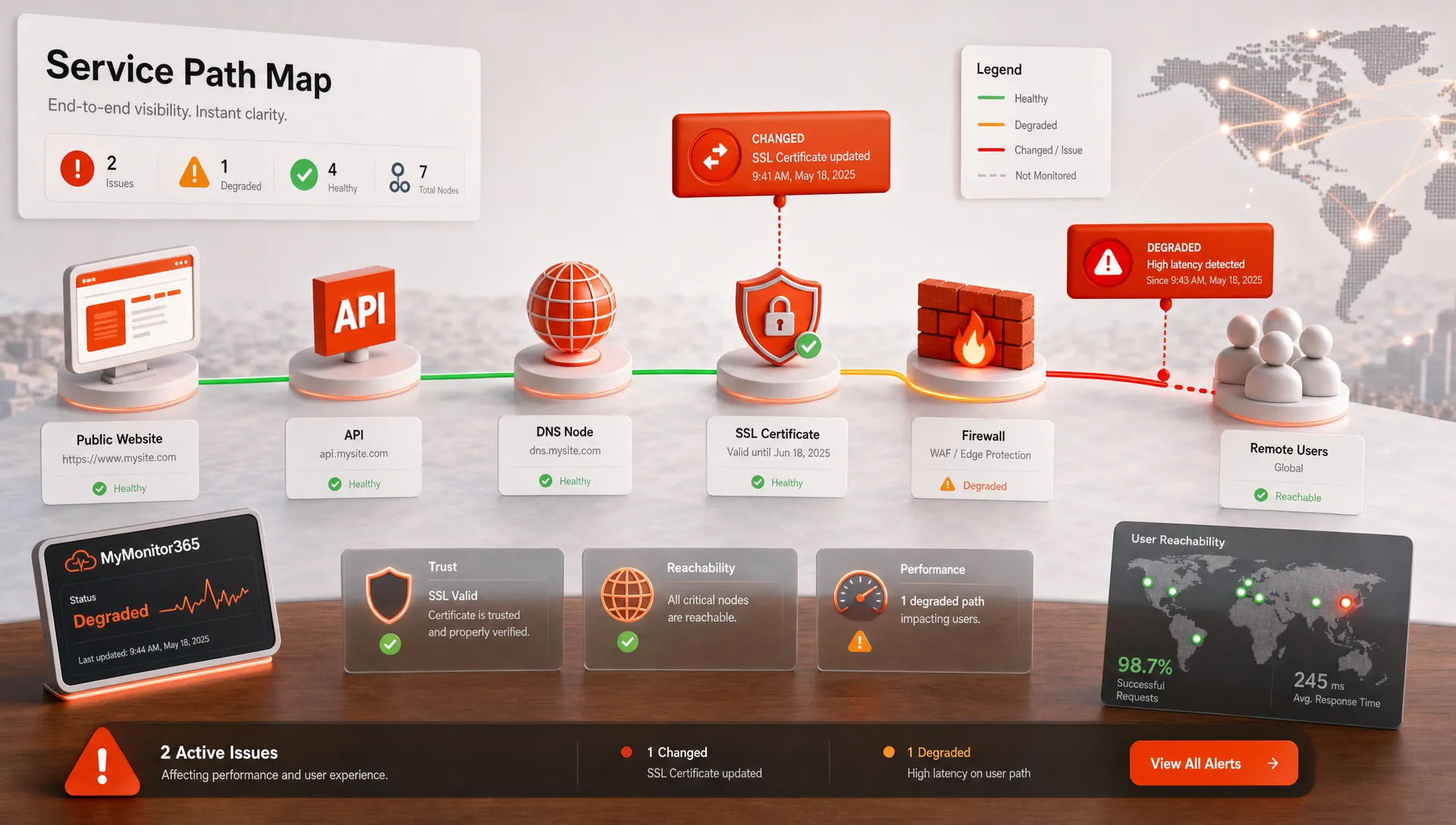
Network outages and security incidents rarely announce themselves with clean labels. A customer cannot log in. An API slows down. A certificate warning appears. DNS starts resolving to an unexpected target. From the user side, all of these feel like the same thing: the service cannot be trusted or used.
That is why network and security monitoring must work together. Network monitoring answers questions about reachability, latency, ports, protocols, and service health. Security monitoring answers questions about trust, integrity, exposure, and unauthorized change. When those signals are reviewed separately, teams lose the context they need to decide whether an alert is a routine fault, a configuration mistake, or an early indicator of compromise.
The overlap is not theoretical. The NIST Cybersecurity Framework 2.0 treats detection, response, and recovery as core cybersecurity outcomes. In real environments, those outcomes depend heavily on operational telemetry: whether critical endpoints respond, whether DNS changed, whether SSL/TLS is valid, and whether exposed services behave as expected.
For IT teams and MSPs, the goal is not to replace security tooling with uptime checks, or to turn network monitoring into a SIEM. The goal is to build a shared early warning system that reduces blind spots and helps the right people respond faster.
Why network and security monitoring became inseparable
The older model separated reliability from security. Network operations watched connectivity, bandwidth, routers, servers, and application uptime. Security teams watched identity, vulnerabilities, endpoint events, logs, and threat alerts. That separation made sense when infrastructure lived mostly inside a controlled perimeter.
Modern services do not work that way. A single customer experience may depend on a public website, cloud load balancer, API gateway, DNS provider, certificate authority, database, email provider, CDN, firewall policy, and several third-party services. A small issue in any layer can create both an availability problem and a security concern.
Consider DNS. If a domain stops resolving, the website is down. If a DNS record changes unexpectedly, it could be a mistake, a provider issue, or a sign of domain hijacking. The network symptom and the security question are inseparable.
The same is true for TLS certificates. An expired certificate breaks trust in the browser and can take a service out of production. A certificate issued unexpectedly for a sensitive domain may require security investigation. Port changes, HTTP content changes, sudden latency spikes, and regional failures can all carry both meanings.
This is why mature monitoring programs increasingly treat network and security as connected layers of the same resilience strategy.
The same signal can point to reliability or risk
The first step is to stop treating monitoring results as single-purpose alerts. Many signals that look like uptime events are also useful security clues when placed in context.
| Monitoring signal | Availability meaning | Security meaning | Practical response |
|---|---|---|---|
| DNS record change | Users may reach the wrong service or no service | Possible unauthorized change, hijack, or misconfiguration | Verify the change against approved deployment or DNS records |
| SSL/TLS certificate warning | Browsers and APIs may reject the connection | Trust chain, expiry, or unexpected issuance needs review | Confirm certificate validity, chain, issuer, and renewal process |
| TCP port state change | A dependency may be offline or unreachable | A service may be unexpectedly exposed or blocked | Compare open ports to the approved service inventory |
| HTTP status or content mismatch | Application may be broken or returning the wrong page | Possible defacement, routing issue, or proxy misconfiguration | Check recent releases, web server logs, and content integrity |
| Latency spike from multiple locations | Users may experience slow service | Possible DDoS, abusive traffic, routing issue, or capacity stress | Correlate with traffic, firewall, CDN, and provider data |
None of these signals prove an attack on their own. That is the point. Combined monitoring does not jump to conclusions. It helps teams ask better questions earlier, before an incident becomes visible to customers.
Security events are often uptime events in disguise
Security failures become business incidents when they block users, break trust, or degrade performance. A web application firewall rule that is too aggressive can make legitimate traffic fail. A misconfigured certificate can interrupt API clients. A DNS change can send customers to a stale endpoint. An exposed admin port can become a security emergency and require immediate network changes that affect operations.
SSL/TLS is a good example because it sits directly between trust and availability. Certificates support encrypted communication, identity validation, and browser confidence, but they are also operational dependencies with expiry dates and chain requirements. If your team needs a clearer foundation, MyMonitor365 has a practical guide to SSL/TLS certificate basics for IT teams.
When security monitoring identifies a risk but network monitoring does not show customer impact, teams can prioritize carefully. When both show abnormal behavior at the same time, the incident should move higher in the queue. That combination helps avoid two costly mistakes: ignoring a security signal because the site is still up, or treating a service failure as routine when it may be driven by hostile activity.
What changes when teams combine the data
When network and security monitoring live in separate silos, incident response usually starts with confusion. The network team checks connectivity. The application team checks logs. Security checks alerts. The service desk waits for a customer report that explains the impact. Every team has a piece of the picture, but no one has the timeline.
Combining monitoring data changes the first 10 minutes of an incident. Instead of asking whether something is down, teams can ask what changed, where it changed, and whether the change affects trust.
A few examples show the difference:
- If HTTP checks fail globally but ping still works, the host may be reachable while the web service, reverse proxy, or application layer is failing.
- If a service fails from one region but succeeds elsewhere, the likely cause may be routing, ISP, CDN, or regional provider behavior rather than a full outage.
- If DNS changes and HTTP content changes at nearly the same time, the incident deserves both operations and security attention.
- If a TCP port unexpectedly opens on an internet-facing host, the service may still be up, but the exposure needs review.
- If an SSL certificate is close to expiry, the incident can be prevented before it becomes a user-facing outage.
That shared context reduces alert fatigue because teams can suppress noise, group related symptoms, and escalate only what matters. It also improves post-incident reviews because the timeline includes both service health and security-relevant change.
What integrated monitoring should cover
Integrated monitoring does not mean watching everything with equal intensity. It means choosing the signals that best represent service availability, trust, and exposure for your environment.
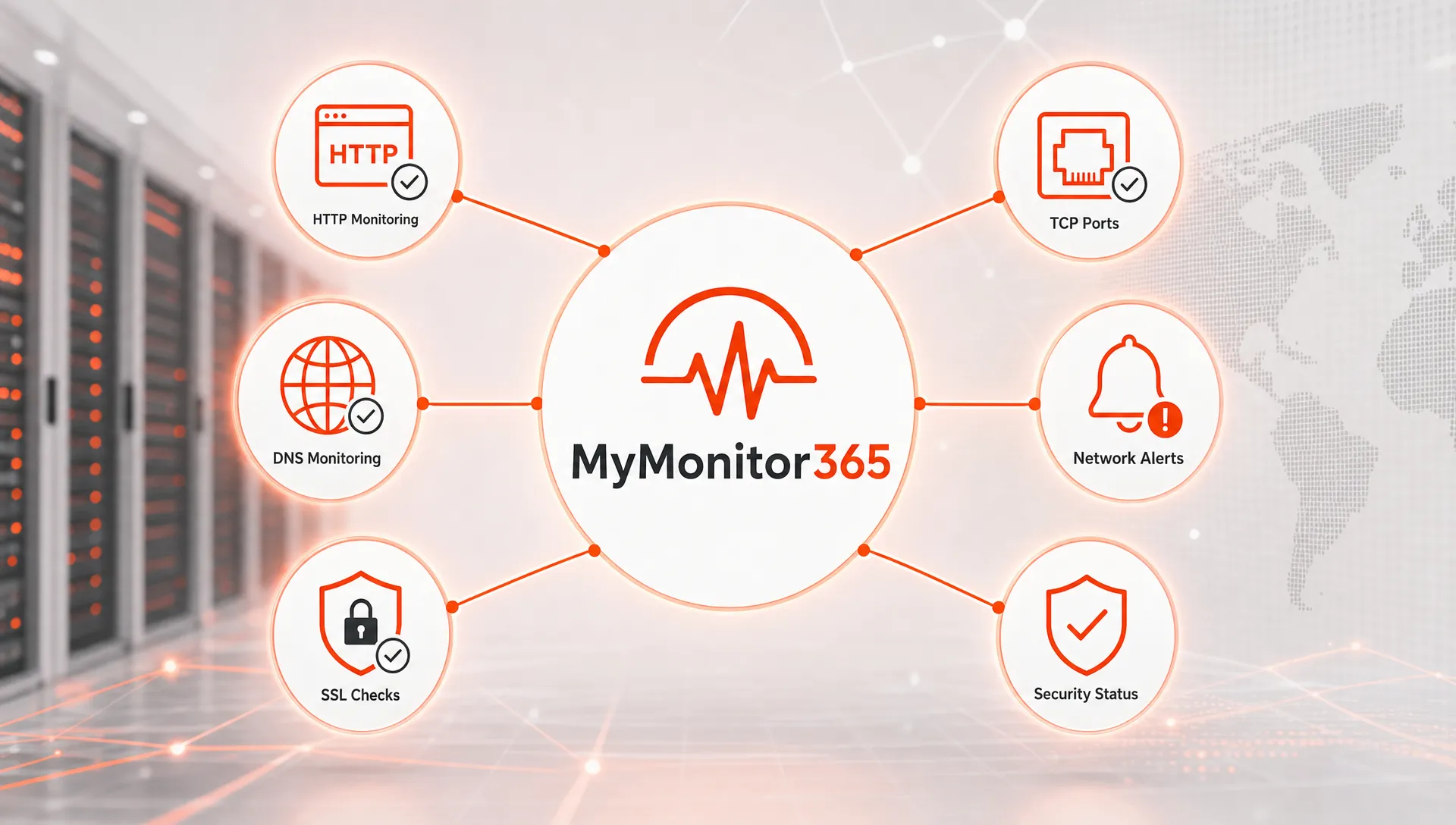
A good baseline starts with the externally visible paths your users and clients rely on. For a public application, that might include DNS resolution, SSL/TLS validity, HTTP status, API response time, expected page content, ping or ICMP reachability, and critical TCP ports. For an MSP, the same pattern can be standardized across client websites, servers, and network services.
If you are building that foundation from scratch, the MyMonitor365 guide on how to monitor your full infrastructure stack outlines a layered approach across network connectivity, TCP checks, HTTP, SSL, DNS, and other important services.
| Layer | Availability question | Security question | Example check |
|---|---|---|---|
| Network connectivity | Can the host be reached? | Is the host unexpectedly unreachable or isolated? | Ping or ICMP monitoring |
| TCP services | Is the service accepting connections? | Is an approved port closed or an unapproved port exposed? | TCP port monitoring |
| HTTP and APIs | Does the endpoint respond correctly? | Has content, status, or behavior changed unexpectedly? | HTTP/API monitoring and keyword checks |
| SSL/TLS | Is the certificate valid and trusted? | Is trust weakened by expiry, mismatch, or chain issues? | SSL monitoring |
| DNS | Does the domain resolve correctly? | Did a record change without approval? | DNS change monitoring |
| Alerting and history | Did the right team see the incident? | Can changes and responses be reviewed later? | Alert integrations and audit logs |
The right mix depends on risk and business impact. A marketing microsite may need basic HTTP, SSL, and DNS monitoring. A payment API may need multi-location HTTP checks, TCP checks, SSL monitoring, DNS monitoring, content verification, strict alert routing, and a documented escalation path.
How IT teams and MSPs can put it into practice
The most effective approach is to build monitoring around services, not devices. Users do not care whether a firewall, DNS provider, certificate, or application server caused the problem. They care whether the service works. Your monitoring model should mirror that reality.
Map dependencies before you map alerts
Start by identifying the services that matter most: customer portals, checkout flows, APIs, VPN gateways, email services, DNS zones, and client-facing websites. Then map the technical dependencies behind each one. This makes it easier to understand whether a single failed check is isolated or part of a larger incident.
For high-impact systems, define what must remain true for the service to be healthy. The domain should resolve to the expected target. The certificate should be valid. The port should accept connections. The HTTP endpoint should return the right status and expected content. Alerts should reach the responsible team quickly.
For a broader reliability framework, MyMonitor365 has a guide on how to protect mission critical services from downtime using service tiers, dependency mapping, and layered protection.
Use multi-location checks to separate local noise from real incidents
A single monitoring location can create uncertainty. If a check fails from one place, the issue could be the service, the monitoring location, an ISP path, a CDN edge, a firewall rule, or regional routing. Multi-location monitoring helps teams distinguish local anomalies from widespread outages.
That distinction matters for security too. A failure from many regions may indicate a global service issue or broad attack pattern. A failure from one region may point to geoblocking, routing changes, ISP filtering, or a provider-specific incident. Both deserve attention, but they require different responses.
Route alerts to people who can act
Fast alerts are only useful if they reach the right people with enough context. A certificate alert may belong to the platform team. A DNS change alert may require both operations and the domain owner. A port exposure alert may need network engineering and security review. An HTTP content mismatch may involve application owners.
This is where alert integrations, maintenance windows, and audit logs become operational safeguards. Integrations help alerts land where teams already work. Maintenance windows prevent planned work from looking like a breach or outage. Audit logs help reconstruct what changed when teams review an incident later.
Keep response language shared
Security and operations teams sometimes describe the same event differently. One team may say service unavailable. Another may say policy change. Another may say suspected compromise. Shared monitoring helps create shared language: what changed, what failed, who is affected, and what evidence supports the current severity.
This is especially valuable for MSPs. Clients expect clear explanations, not internal tool noise. A unified view helps the provider explain whether an issue was caused by client DNS changes, expired certificates, hosting failure, network reachability, or a possible security concern that needs further investigation.
Common mistakes that create blind spots
One common mistake is monitoring only the homepage. A homepage can respond while the login flow, API endpoint, payment provider callback, or admin portal is broken. Important services need checks that reflect real user and system paths.
Another mistake is treating SSL and DNS as occasional admin tasks. These are live operational dependencies. Certificate expiry, trust chain errors, DNS changes, and record misconfigurations can break production services quickly. They should be monitored continuously, not reviewed only during renewals or migrations.
Teams also create risk when every alert goes to everyone. Over-alerting slows response because people learn to ignore noise. Under-alerting is just as dangerous because the first signal may come from users. Integrated monitoring should classify alerts by service impact, security relevance, and ownership.
Finally, some teams fail to account for planned change. Deployments, firewall updates, certificate renewals, DNS migrations, and provider maintenance should be visible to monitoring. Maintenance windows do not just reduce false positives. They also help teams spot when a planned change creates an unplanned result.
Signs your monitoring model is working
A strong network and security monitoring model should make incidents easier to understand, not just easier to detect. You should see fewer cases where the service desk hears about an outage before IT does. You should also see faster triage because the first alert includes context from multiple layers.
Useful signs include fewer user-reported outages, shorter time to acknowledge, cleaner escalation paths, fewer duplicate alerts, earlier detection of SSL and DNS issues, and clearer post-incident timelines. Over time, teams should be able to identify recurring weak points, such as fragile DNS processes, manual certificate renewals, exposed ports, or missing maintenance coordination.
The best outcome is not more alerts. It is better decisions. When teams can see availability, trust, and exposure together, they can separate routine failures from serious risk and respond with the right level of urgency.
Frequently Asked Questions
What is the difference between network monitoring and security monitoring? Network monitoring focuses on reachability, uptime, latency, ports, and service health. Security monitoring focuses on trust, unauthorized change, exposure, and suspicious activity. They overlap because many infrastructure signals can indicate both downtime and risk.
Why should IT teams connect network and security monitoring? Connecting them gives teams better context during incidents. A DNS change, certificate warning, open port, or HTTP failure may be a simple operational issue, but it may also require security review. Combined monitoring helps teams triage faster.
Does integrated monitoring replace a SIEM or endpoint security tool? No. Uptime, DNS, SSL, TCP, and HTTP monitoring are not replacements for SIEM, EDR, vulnerability management, or log analysis. They complement those tools by providing external service health and trust signals.
Which services should be monitored first? Start with public-facing and business-critical services, including websites, APIs, DNS zones, SSL/TLS certificates, authentication endpoints, and critical TCP services. Then expand to client-specific or internal services based on risk and impact.
How does this help MSPs? MSPs can use integrated monitoring to standardize checks across client environments, detect service-impacting issues earlier, reduce alert noise, and provide clearer incident explanations to clients.
Strengthen monitoring before the next incident
Network and security monitoring works best when it is continuous, contextual, and actionable. MyMonitor365 helps IT teams and MSPs monitor HTTP/API endpoints, ping and ICMP checks, TCP ports, SSL, DNS, content keywords, and multi-location availability, with alert integrations, maintenance windows, two-factor authentication, and audit logs.
If your team wants earlier warning of outages and security-relevant infrastructure changes, start with MyMonitor365. The free plan requires no credit card, so you can begin monitoring critical services before the next incident tests your process.
Hashtags
#NetworkMonitoring #SecurityMonitoring #UptimeMonitoring #InfrastructureMonitoring #ITOperations #MSP #IncidentResponse #CyberResilience