
DNS Network Monitoring Tips for Faster Troubleshooting
Improve DNS network monitoring with practical tips for baselines, multi-location checks, alerts, and faster outage troubleshooting.
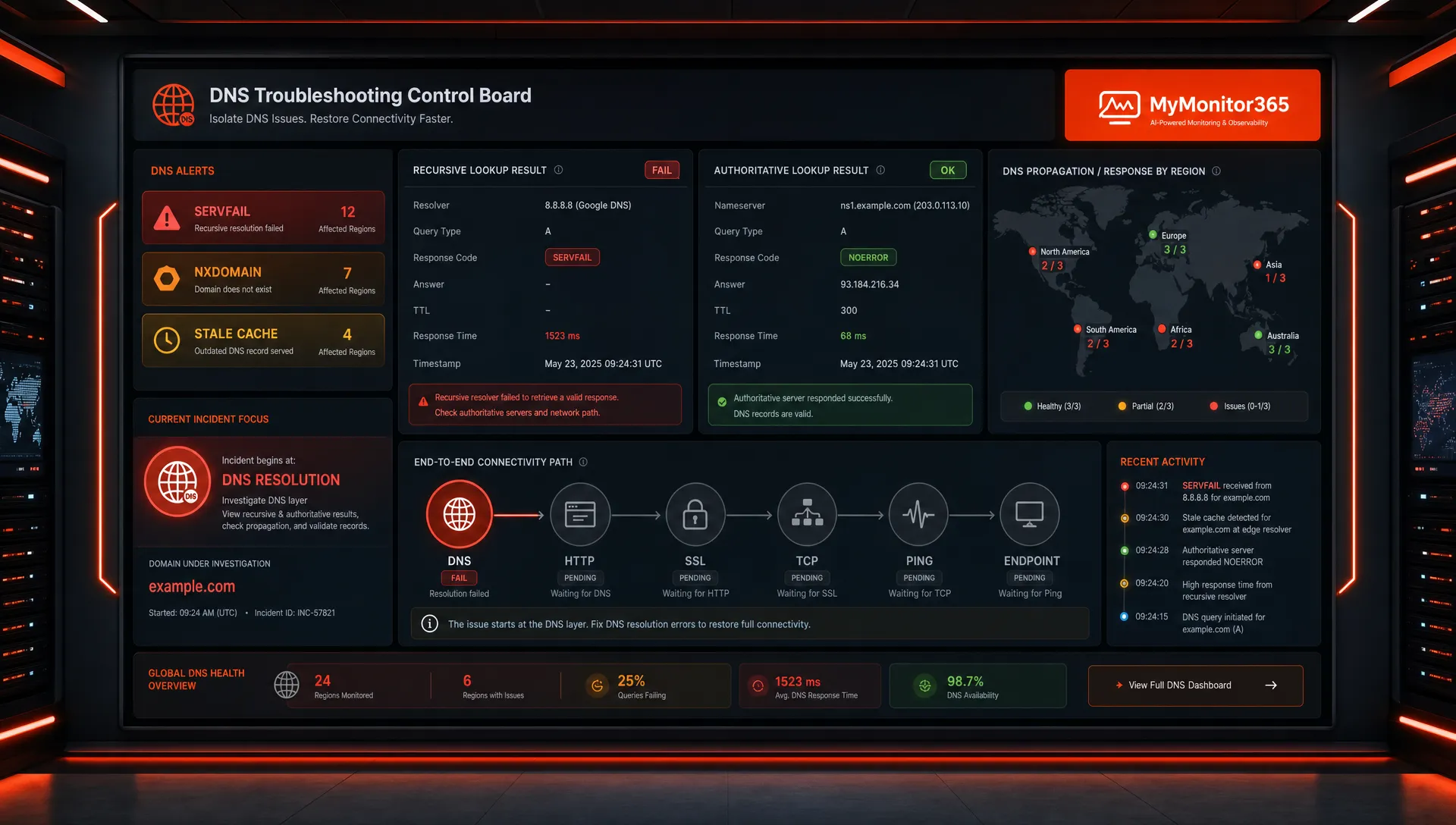
DNS sits between users and almost every digital service your organization runs. When it works, nobody notices. When it fails, the symptoms can look like an application outage, a CDN issue, a firewall problem, an SSL error, or a regional ISP incident.
That is why DNS network monitoring should be designed for troubleshooting, not just uptime reporting. A basic “is the domain resolving?” check may tell you something is wrong, but it often does not tell you where the failure started, who is affected, or what the next action should be.
For IT operations teams, MSPs, and network teams, the goal is simple: detect DNS-related issues early, isolate the fault quickly, and reduce the number of teams pulled into the incident bridge.
Why DNS issues slow down troubleshooting
DNS is distributed, cached, and dependent on multiple parties. A single lookup can involve a client resolver, recursive DNS provider, authoritative name servers, DNSSEC validation, CNAME chains, CDN records, and cached answers with different remaining TTL values.
The original DNS specification, described in RFC 1035, was built around distributed responsibility and caching. That design is resilient, but it also means an incident may appear differently depending on where the query comes from.
For example, users in one region may hit a stale cached record while another region sees the new value. One recursive resolver may fail DNSSEC validation while another returns an answer. An authoritative provider may be healthy in North America but unreachable from a specific network path in Europe.
Fast troubleshooting depends on monitoring that captures these differences instead of hiding them behind a single green or red status.
Start with a DNS monitoring baseline
Before optimizing alerts, define what “normal” looks like for each critical domain. A baseline gives responders something to compare against when an incident starts.
At minimum, monitor these values for production domains:
| DNS signal | Why it matters | Troubleshooting value |
|---|---|---|
| A and AAAA records | Maps hostnames to IPv4 and IPv6 addresses | Reveals wrong IPs, missing records, or unintended traffic shifts |
| CNAME records | Shows alias chains and CDN dependencies | Helps identify broken chains or third-party provider issues |
| MX records | Controls mail routing | Detects email delivery risk before tickets arrive |
| NS records | Identifies authoritative name servers | Shows delegation changes or provider-level exposure |
| SOA record | Contains zone authority and serial data | Helps confirm propagation between authoritative servers |
| TTL values | Controls caching duration | Explains why some users still see old answers |
| DNSSEC status | Validates authenticity of DNS data | Identifies signing, DS, or validation problems |
Do not baseline only the final answer. Baseline the chain. If app.example.com points to a CNAME that points to a CDN hostname that resolves to multiple IPs, document and monitor the chain so your team can see which link changed.
This is especially important in environments where infrastructure changes frequently, such as cloud migrations, CDN cutovers, blue-green deployments, and MSP-managed customer networks.
Monitor from multiple locations, not one resolver
A DNS check from a single location can create a false sense of confidence. If the monitor uses one resolver in one region, it may miss regional outages, resolver-specific failures, or routing problems between users and authoritative name servers.
Multi-location monitoring is one of the most useful ways to speed up DNS troubleshooting because it answers three high-value questions quickly:
- Is the issue global or regional?
- Is the issue related to a specific resolver path?
- Are authoritative name servers reachable from different networks?
If every location fails at the same time, you likely have a domain, delegation, provider, or authoritative DNS issue. If only one region fails, the investigation can focus on network reachability, regional provider health, or resolver behavior.
For a broader monitoring strategy that layers DNS with connectivity and service checks, see this guide on how to monitor network infrastructure without blind spots.
Separate authoritative DNS from recursive DNS
One common troubleshooting mistake is treating all DNS failures as the same. Recursive resolution and authoritative DNS availability are related, but they are not identical.
A recursive resolver is what clients typically query. It caches answers and performs lookups on behalf of users. Authoritative name servers hold the zone data for your domain. If recursive lookups fail, the fault may be in the resolver, cache, validation process, network path, or authoritative server.
A faster troubleshooting model separates checks into two categories:
| Check type | What it tests | Example finding |
|---|---|---|
| Recursive DNS check | What users are likely to receive | Public resolver returns stale or failed answers |
| Authoritative DNS check | Whether the source of truth is healthy | One name server returns a different SOA serial |
| Delegation check | Whether parent zone points to the right NS records | Registrar or parent zone has incorrect name servers |
| DNSSEC validation check | Whether signed records validate correctly | DS record mismatch causes SERVFAIL for validating resolvers |
When both recursive and authoritative checks fail, escalation is urgent. When authoritative checks are correct but recursive answers differ, the problem may be cache timing, negative caching, DNSSEC validation, or resolver-specific behavior.
Negative caching is particularly important. RFC 2308 explains how resolvers cache negative responses such as NXDOMAIN. In practice, this means a short-lived DNS mistake can continue to affect users after the record has been fixed, depending on the negative caching behavior and TTL values involved.
Watch for DNS changes, not just DNS failures
Many DNS incidents start as valid changes that produce unintended consequences. A record may still resolve, but to the wrong destination. A CNAME may still exist, but point to an old vendor hostname. An MX priority change may route email through the wrong service.
Monitoring should alert on meaningful DNS changes, especially for critical domains and subdomains. This is not about treating every change as an outage. It is about giving operations teams context before users report impact.
Useful DNS change alerts include:
- New, removed, or modified A and AAAA records
- CNAME target changes
- MX host or priority changes
- NS delegation changes
- TXT record changes for SPF, DKIM, DMARC, verification, or vendor integrations
- Unexpected TTL changes
- DNSSEC-related changes, including DS and DNSKEY updates
For teams responsible for security-sensitive domains, DNS change monitoring also supports early detection of accidental exposure or suspicious modification. The same operational signal can help both network and security teams, especially when combined with registrar controls and access reviews. For more on hardening critical domains, review these DNS security best practices.
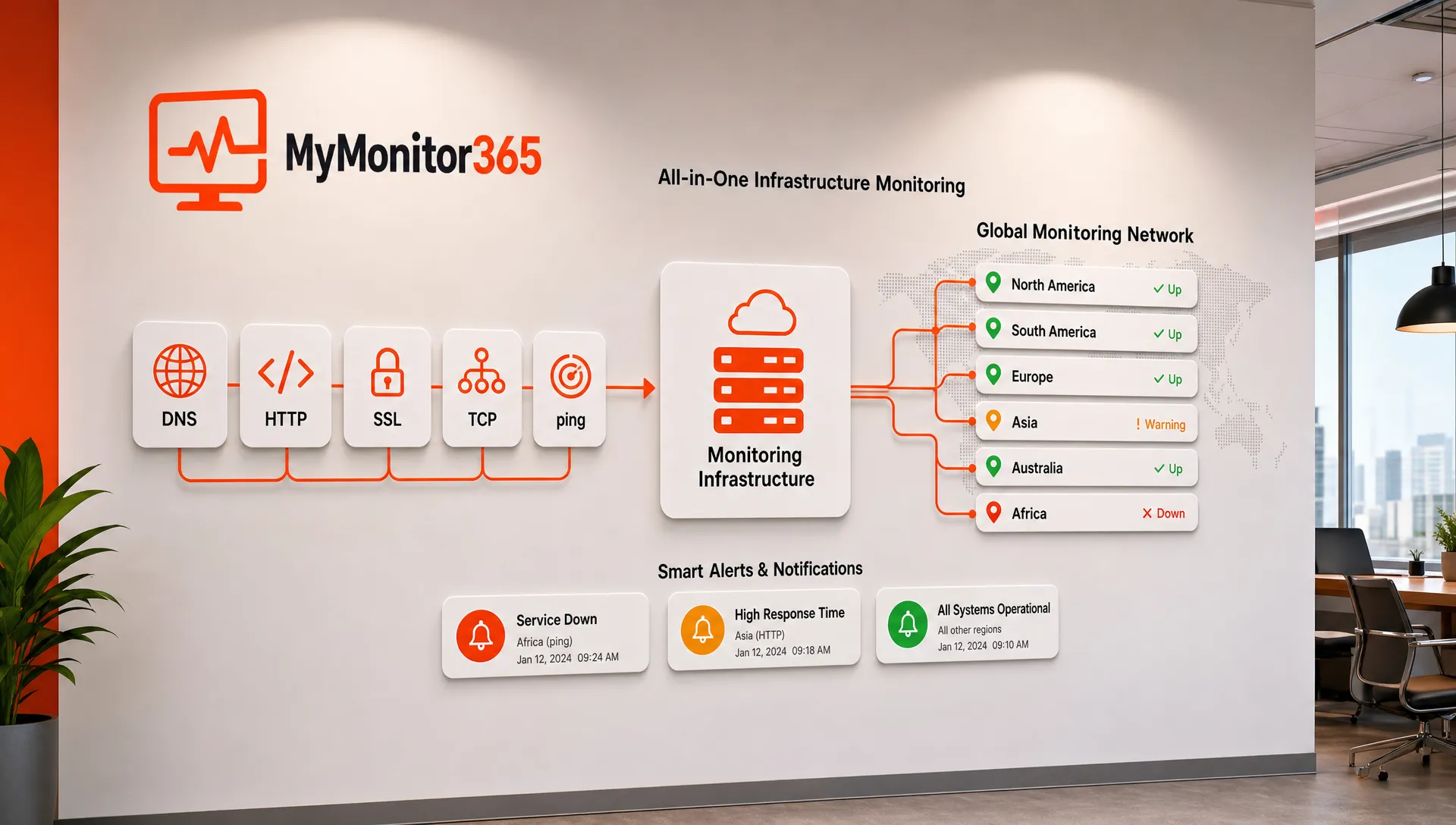
Correlate DNS with HTTP, SSL, TCP, and ping checks
DNS rarely fails in isolation from the user experience. A domain can resolve correctly while the service behind it is down. A website can be reachable by IP while HTTPS fails because the certificate does not match the hostname. A TCP port can be open while the application returns a 500 error.
This is why DNS network monitoring is most effective when it is correlated with other infrastructure checks.
| Symptom | DNS result | Related check | Likely direction |
|---|---|---|---|
| Domain does not load | NXDOMAIN or SERVFAIL | Authoritative DNS and DNSSEC | DNS record, delegation, or validation issue |
| Domain resolves but site times out | Valid A or AAAA record | Ping, TCP, HTTP | Network path, firewall, server, or load balancer issue |
| HTTPS warning appears | Valid DNS answer | SSL certificate check | Expired, mismatched, or incomplete certificate chain |
| API returns errors | Valid DNS answer | HTTP/API check | Application, upstream dependency, or deployment issue |
| Only some users affected | Different answers by region | Multi-location DNS and HTTP | Propagation, CDN, geo routing, or resolver issue |
This correlation prevents teams from chasing the wrong layer. If DNS is healthy from all monitored locations but TCP checks fail, the network or service layer becomes the priority. If HTTP fails only where DNS answers differ, the team can investigate routing or record changes first.
Use TTLs as a troubleshooting tool
TTL values are often treated as a configuration detail, but they have a direct impact on incident response. A long TTL can improve cache efficiency, but it can also slow recovery after a bad record is published. A very short TTL may help during migrations, but it can increase query volume and dependency on authoritative DNS availability.
The right TTL depends on the record’s purpose and change frequency. The key is to make TTL choices intentional and visible to the team.
| Scenario | TTL approach | Troubleshooting benefit |
|---|---|---|
| Stable production record | Moderate or longer TTL | Reduces unnecessary DNS query load |
| Planned migration | Temporarily lower TTL before the change | Allows faster rollback or traffic shift |
| CDN or load-balanced hostname | Follow provider guidance | Avoids conflicting with managed traffic policies |
| Verification TXT record | Keep only as long as needed | Reduces clutter and accidental dependency |
| Emergency rollback | Confirm cached values by location | Explains why recovery is not instant for all users |
For DNS reliability planning, including TTL strategy and authoritative DNS resilience, this article on configuring DNS for better reliability and uptime is a useful companion resource.
Build a faster DNS troubleshooting workflow
When an alert fires, responders need a repeatable path. Without one, the team loses time debating whether the issue is DNS, network, application, or vendor-related.
A practical workflow can look like this:
- Confirm the scope: Check whether the alert is global, regional, or limited to one monitoring location.
- Compare recursive and authoritative answers: Determine whether users are receiving bad answers or whether the source zone itself is incorrect.
- Check recent DNS changes: Review record changes, delegation updates, TTL modifications, and DNSSEC changes.
- Validate related layers: Compare DNS status with HTTP/API, SSL, TCP port, and ping checks.
- Review TTL impact: Estimate whether cached records may continue to affect users after remediation.
- Escalate with evidence: Provide the failing record, resolver behavior, timestamps, affected regions, and related service checks.
The value of this workflow is not only speed. It also improves communication. Instead of saying “DNS might be down,” the responder can say, “Recursive lookups are failing with SERVFAIL from two regions, authoritative name servers respond correctly, and the failure appears limited to validating resolvers.”
That level of detail shortens escalations and reduces unnecessary handoffs.
Alert on symptoms that require action
DNS monitoring can become noisy if every minor difference creates an urgent alert. Faster troubleshooting depends on alert quality as much as check coverage.
Good alert rules distinguish between informational changes, warning conditions, and user-impacting failures.
| Alert level | Example | Recommended response |
|---|---|---|
| Informational | TXT verification record added | Log for audit and review |
| Warning | TTL changed on a production A record | Verify whether change was planned |
| High | One authoritative name server returns a mismatched SOA serial | Investigate zone synchronization |
| Critical | Production domain returns SERVFAIL from multiple locations | Escalate immediately |
| Critical | NS records changed unexpectedly | Treat as availability and security risk |
This is also where maintenance windows matter. If a planned DNS migration is underway, alerts should still capture important failures, but they should not page the wrong team for expected temporary changes.
Keep DNS evidence in your incident record
DNS issues can be difficult to reconstruct after the fact because cache states change quickly. By the time a post-incident review begins, the failed response may no longer be visible.
Capture the evidence while the incident is active. Useful details include the queried hostname, record type, response code, returned records, TTL, resolver or monitoring location, authoritative name server response, and timestamp.
Audit logs are especially helpful for distinguishing between external provider failures and internal changes. If a DNS record changed shortly before an outage, responders should be able to verify who changed it, when it changed, and whether the change was expected.
For MSPs, this evidence also improves customer communication. Instead of sending a vague “DNS issue detected” update, the team can provide a concise summary of affected domains, regions, likely cause, and remediation status.
Common DNS monitoring gaps to fix
Even mature IT teams often have DNS blind spots. The most common gaps are not usually caused by lack of tooling. They come from monitoring only the visible application endpoint and ignoring the dependency chain underneath.
Common gaps include monitoring only one record type, skipping IPv6, failing to check authoritative name servers, ignoring DNSSEC validation, not tracking record changes, and treating DNS separately from application availability.
Another frequent gap is overlooking internal and customer-specific domains. MSPs and distributed IT teams may monitor the main corporate website but miss VPN hostnames, SSO domains, API endpoints, customer portals, mail records, and vendor verification records.
A good rule of thumb: if a domain is required for login, routing, payment, email, monitoring, support, or customer access, it deserves monitoring.
How MyMonitor365 helps reduce DNS troubleshooting time
MyMonitor365 is built for infrastructure monitoring across the layers that affect service availability. For DNS-related troubleshooting, teams can use DNS change monitoring alongside HTTP/API monitoring, ping and ICMP checks, TCP port monitoring, SSL security checks, multi-location monitoring, maintenance windows, audit logs, and alert integrations.
That combination helps IT operations teams avoid isolated signals. Instead of seeing DNS as a separate dashboard, teams can correlate domain changes with service availability, network reachability, certificate health, and application response.
For IT managers and MSPs, the practical benefit is faster triage and clearer escalation. The right alert can show not only that something is broken, but which layer is most likely responsible.
Frequently Asked Questions
What is DNS network monitoring? DNS network monitoring tracks whether domains resolve correctly, whether DNS records change, and whether DNS-related dependencies affect service availability across locations, resolvers, and infrastructure layers.
Why should DNS be monitored from multiple locations? Multi-location monitoring helps identify whether a DNS issue is global, regional, resolver-specific, or related to network paths between users and authoritative name servers.
Which DNS records should IT teams monitor first? Start with A, AAAA, CNAME, MX, NS, SOA, TXT, and DNSSEC-related records for critical domains. Prioritize records tied to websites, APIs, login systems, email, VPN access, and customer portals.
How do TTL values affect DNS troubleshooting? TTL values control how long DNS answers may be cached. Long TTLs can delay recovery after a bad change, while lower TTLs can help during planned migrations and rollback windows.
How can DNS monitoring reduce incident response time? It gives responders immediate context, including affected locations, changed records, resolver behavior, authoritative DNS status, and related HTTP, SSL, TCP, or ping failures.
Turn DNS alerts into faster answers
DNS problems do not have to become long, uncertain incident calls. With the right monitoring strategy, your team can move from “users cannot reach the service” to a clear diagnosis much faster.
MyMonitor365 helps IT and MSP teams monitor DNS, uptime, SSL, HTTP/API, TCP ports, ping, and network services with instant alerts and multi-location visibility. Start with the domains your users depend on most, then build layered checks that show exactly where troubleshooting should begin.
Hashtags
#DNSMonitoring #NetworkMonitoring #ITOperations #UptimeMonitoring #InfrastructureMonitoring #MSP #IncidentResponse #MyMonitor365