
DNS Security Best Practices to Protect Critical Domains
DNS security best practices to protect critical domains, prevent hijacking, harden records, and monitor changes before outages hit users.
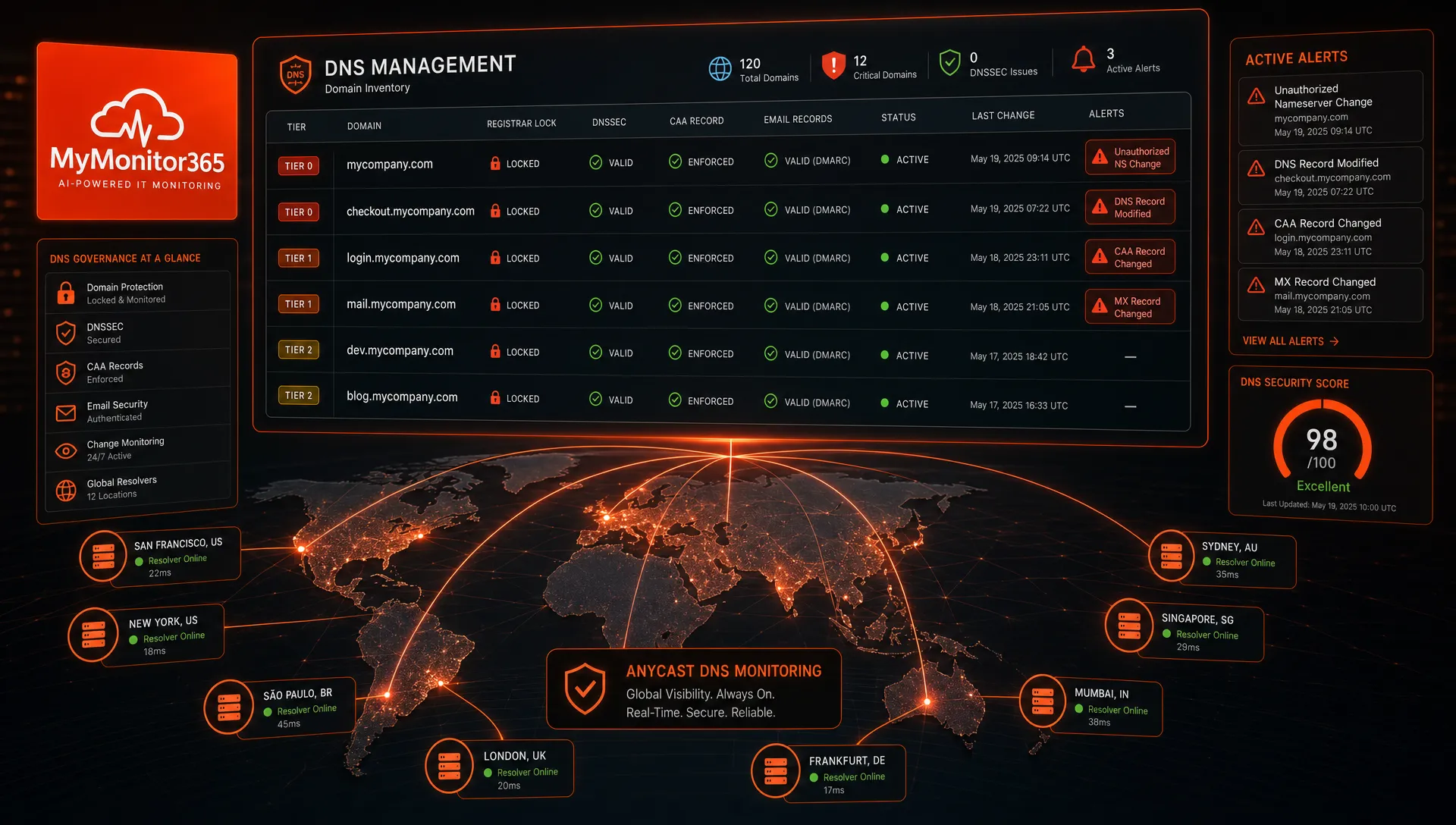
DNS is more than a lookup service. For critical domains, it is part of your organization’s identity, availability, email trust, API reachability, certificate issuance, and incident response posture. If an attacker changes a record, compromises a registrar account, or disables DNSSEC validation, the result can look like a normal outage while traffic, email, or authentication flows are being redirected somewhere else.
For IT managers, network teams, CIOs, and IT operations leaders, strong DNS security is not just a security project. It is an uptime project. The best approach combines hardened access, safer zone design, continuous monitoring, and disciplined change management so teams can prevent incidents and detect suspicious changes before users are affected.
Why DNS security matters for critical domains
A critical domain is any domain or subdomain that supports revenue, operations, identity, support, customer access, internal tools, or regulated workflows. Your public website is obvious, but critical DNS often extends much further: SSO endpoints, VPN hostnames, API gateways, MX records, CDN records, validation records for certificates, and SaaS verification records.
DNS attacks and misconfigurations can cause several types of business impact:
- Traffic interception or redirection through unauthorized A, AAAA, CNAME, or NS changes.
- Email abuse through weak SPF, DKIM, or DMARC policies.
- Certificate fraud risk when domain validation records or CAA records are unmanaged.
- Extended outages from expired DNSSEC signatures, broken delegations, or provider incidents.
- Loss of visibility when DNS changes are made outside normal change management.
The NIST Secure Domain Name System Deployment Guide remains a useful reference for understanding DNS threats, DNSSEC, zone administration, and operational controls. In practice, the organizations that manage DNS well treat it as a production control plane, not a simple configuration file.
Start by classifying your critical domains
You cannot protect every record with the same level of effort, so start with a domain inventory and assign tiers. This helps IT operations decide which domains require strict approvals, faster alerting, registry locks, DNSSEC, or dedicated monitoring.
| Tier | Examples | Recommended security posture |
|---|---|---|
| Tier 1 | Primary corporate domain, customer portal, SSO, payment flows, production APIs | Registry lock where available, MFA, DNSSEC, strict change approvals, real-time monitoring |
| Tier 2 | Regional websites, support portals, key SaaS verification records, mail domains | Registrar lock, MFA, peer review, DNS change alerts, routine audits |
| Tier 3 | Marketing microsites, temporary campaigns, non-production subdomains | Least privilege access, expiration review, ownership tracking, cleanup schedule |
| Test domains | CI, QA, staging, automation, disposable test mail domains | Segmented ownership, limited permissions, scoped records, documented retirement plan |
Classification should include domain owners, registrar, authoritative DNS provider, renewal date, DNSSEC status, nameservers, key records, and monitoring coverage. If nobody can identify who owns a domain or why a record exists, treat that as a risk.
Lock down the DNS control plane
Most serious DNS incidents begin with control-plane compromise, not with the DNS protocol itself. Registrar accounts, DNS provider accounts, API keys, SSO groups, and automation tokens need the same level of protection you would apply to cloud production accounts.
At minimum, require multi-factor authentication for all registrar and DNS provider accounts. Prefer phishing-resistant methods where available, especially for administrators who can change nameservers, transfer domains, or edit production zones. If your team is revisiting privileged access, these two-factor authentication best practices for IT teams are directly relevant to DNS administration.
Beyond MFA, focus on the controls that reduce blast radius:
- Use separate admin accounts instead of shared logins.
- Apply least privilege so users can only modify the zones they manage.
- Protect API tokens with short scopes, rotation policies, and secure storage.
- Enable registrar lock, transfer lock, and registry lock for the most critical domains where supported.
- Review audit logs for changes to nameservers, DS records, MX records, and DNSSEC settings.
- Remove stale users immediately during role changes, vendor offboarding, or MSP transitions.
For MSPs and distributed IT teams, the hardest part is often ownership sprawl. A domain may be registered by one team, hosted by another, monitored by a third, and modified by a vendor during a migration. Documenting who can change what is a security control, not an administrative formality.
Harden DNS records and zone configuration
Once access is controlled, examine the zone itself. Good DNS security reduces unnecessary exposure, validates authenticity, and makes dangerous changes easier to spot.
Use DNSSEC carefully
DNSSEC helps protect users from forged DNS responses by allowing resolvers to validate that answers came from the authoritative zone and were not modified in transit. It is valuable for critical domains, but it must be operated carefully. A missing DS record, expired signature, or failed key rollover can make a domain unreachable for validating resolvers.
Before enabling DNSSEC, confirm that your DNS provider supports reliable signing, key rollover workflows, and alerting. After enabling it, monitor validation from outside your own network. DNSSEC is not a substitute for account security because an attacker with registrar or DNS provider access can still make legitimate-looking changes.
Use CAA records to control certificate issuance
Certificate Authority Authorization, or CAA, tells certificate authorities which CAs are authorized to issue certificates for your domain. For critical domains, CAA records reduce the chance of unexpected certificate issuance and create a clearer policy for certificate operations.
CAA works best when paired with certificate monitoring and clear ownership. If your team authorizes multiple CAs, document why each is needed. If you move providers, update CAA records during the migration instead of leaving old issuance paths open indefinitely.
Strengthen email-related DNS records
Email trust depends heavily on DNS. SPF, DKIM, and DMARC records help receiving systems evaluate whether a message is authorized and aligned with your domain. For production domains, weak or missing email authentication can increase phishing risk and brand impersonation.
The right configuration depends on how the domain is used. A domain that never sends mail should not have the same DNS posture as a domain used by marketing automation, support tools, or transactional email. For non-production environments, QA workflows, and automation domains, this practical guide on what actually matters for email authentication on test domains explains why inbound-only test domains, sending test domains, and deliverability test domains need different DNS decisions.
Remove stale and risky records
Old DNS records are a common source of takeover risk. CNAME records pointing to decommissioned SaaS services, abandoned cloud storage endpoints, or retired load balancers can create opportunities for subdomain takeover. TXT records created for one-time validation can linger for years and confuse future audits.
Schedule regular zone reviews for critical domains. Look for records that have no owner, point to retired infrastructure, reference former vendors, or bypass current traffic controls. Cleanup is not glamorous, but it is one of the most effective DNS security practices.
Monitor DNS continuously, not just during incidents
DNS security depends on detecting change quickly. A secure configuration today can become risky tomorrow if a record is edited, a nameserver delegation changes, a DNSSEC chain breaks, or a provider starts returning inconsistent answers from different regions.
Manual checks are not enough for critical domains. Teams need independent monitoring that verifies DNS behavior from outside the environment and alerts the right people when results change. This is especially important because many DNS issues are location-specific, resolver-specific, or intermittent.
MyMonitor365 supports DNS change monitoring alongside HTTP/API, SSL, ping, ICMP, TCP port, and multi-location checks. That broader visibility matters because DNS incidents often appear first as application downtime, TLS errors, failed API calls, or regional reachability problems. For a deeper look at combining these signals, see why network and security monitoring must work together.
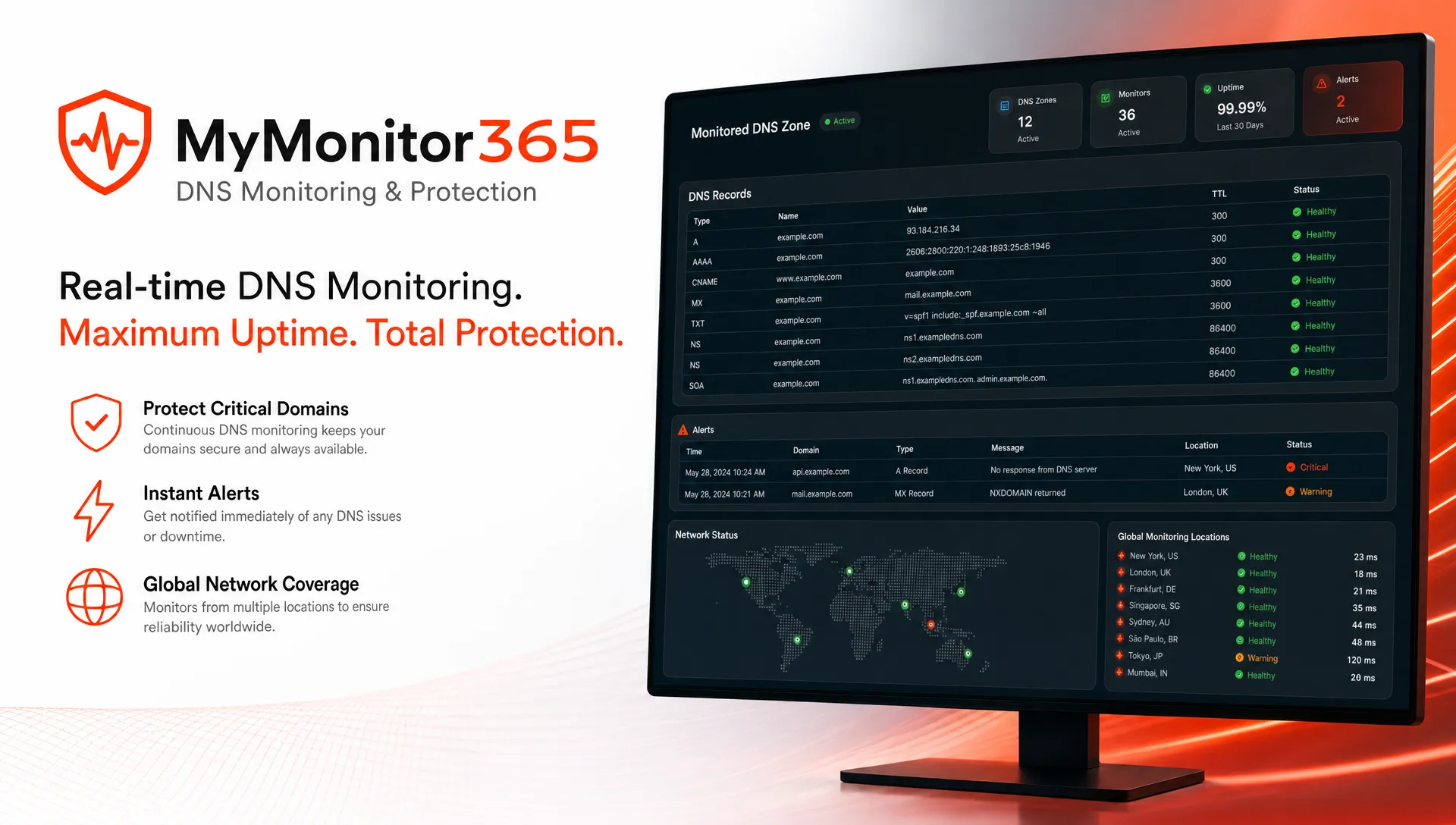
A practical DNS monitoring plan should include checks for:
- Authoritative nameserver availability and consistency.
- A, AAAA, CNAME, MX, TXT, NS, DS, and CAA record changes.
- DNSSEC validation failures.
- Unexpected response changes from multiple locations.
- Resolver timeouts, SERVFAIL responses, and propagation anomalies.
- Changes to records used for email, SSO, certificate validation, and APIs.
Alert routing is just as important as detection. A changed TXT record for a low-risk campaign domain may be informational, while a nameserver change on the primary corporate domain should trigger urgent escalation.
Make DNS changes safer with operational discipline
Many DNS outages are self-inflicted. A rushed migration, incorrect TTL, missing trailing dot, bad CNAME target, or uncoordinated nameserver change can break production services. Security and reliability improve when DNS changes follow a standard workflow.
A strong DNS change process includes peer review, owner approval for Tier 1 domains, a rollback plan, scheduled maintenance windows when appropriate, and post-change validation from multiple networks. For high-impact changes, lower TTLs ahead of time, verify records before switching traffic, and keep the previous configuration available until the new path is confirmed.
TTL strategy is especially important. Very long TTLs can slow recovery from mistakes or attacks, while very short TTLs can increase query volume and operational noise. Your goal is not to set every TTL as low as possible. It is to align TTLs with business risk, expected change frequency, and provider capacity. For more reliability-focused guidance, review this article on how to configure DNS for better reliability and uptime.
Audit logs should be part of the process. When an incident occurs, responders need to know what changed, who changed it, when it changed, and whether the change was approved. Without that timeline, teams waste valuable time deciding whether they are facing an attack, a vendor issue, or a normal deployment gone wrong.
Prepare for provider incidents and DNS attacks
Even well-managed domains can be affected by registrar outages, authoritative DNS provider problems, DDoS attacks, BGP issues, or upstream resolver failures. DNS security best practices should include resilience planning, not only preventive hardening.
For the most critical domains, consider whether one DNS provider is enough. Some organizations use secondary DNS or multi-provider authoritative DNS for added resilience. This can improve availability, but it also adds operational complexity. DNSSEC signing, zone synchronization, and change control must be handled carefully across providers.
Incident response plans should cover DNS-specific scenarios:
| Scenario | First response priority | Follow-up action |
|---|---|---|
| Unauthorized record change | Revert record, preserve logs, rotate affected credentials | Review account access and API token history |
| Nameserver hijack or delegation change | Lock registrar account, restore delegation, contact registrar support | Verify registry lock and transfer protections |
| DNSSEC validation failure | Check DS records, signatures, and key status | Improve rollover monitoring and runbook coverage |
| Provider outage | Confirm from multiple locations and activate secondary plan if available | Review provider SLA and redundancy requirements |
| Suspicious email DNS change | Revert SPF, DKIM, or DMARC change and inspect sending paths | Investigate phishing or unauthorized mail platform access |
Runbooks should be written before an emergency. Include registrar support contacts, escalation paths, required identity verification steps, backup DNS exports, and the exact monitoring checks that confirm recovery.
DNS security checklist for IT operations
Use this checklist as a practical baseline for protecting critical domains:
| Control area | Best practice | Why it matters |
|---|---|---|
| Inventory | Maintain a current list of domains, owners, providers, and critical records | Prevents unknown assets and orphaned records |
| Access | Enforce MFA, least privilege, and no shared admin accounts | Reduces account takeover risk |
| Registrar protection | Enable transfer lock and registry lock for Tier 1 domains where possible | Makes unauthorized transfers and delegation changes harder |
| DNSSEC | Enable and monitor DNSSEC for suitable critical domains | Protects against forged DNS responses |
| Email DNS | Maintain SPF, DKIM, and DMARC according to domain usage | Reduces spoofing and impersonation risk |
| CAA | Define approved certificate authorities | Limits unexpected certificate issuance paths |
| Record hygiene | Remove stale CNAME, TXT, MX, and validation records | Reduces takeover and confusion risk |
| Monitoring | Alert on DNS changes, validation failures, and regional anomalies | Speeds detection and response |
| Change management | Use peer review, maintenance windows, rollback plans, and audit logs | Prevents avoidable outages |
| Incident response | Keep DNS runbooks and provider contacts ready | Shortens recovery time during attacks or outages |
DNS security is strongest when it is routine. The goal is not to create a one-time hardening project that gets forgotten. The goal is to make secure DNS ownership, monitoring, and change control part of daily IT operations.
Frequently Asked Questions
What is DNS security? DNS security is the set of controls used to protect domain name resolution, DNS records, registrar access, DNS provider access, and related services such as email authentication and certificate issuance. It helps prevent hijacking, spoofing, misconfiguration, and outages.
Which DNS records are most important to monitor? For critical domains, monitor NS, DS, A, AAAA, CNAME, MX, TXT, CAA, and records used for SSO, APIs, certificate validation, and email authentication. The highest-risk records are those that can redirect traffic, affect mail flow, or change domain ownership validation.
Does DNSSEC prevent domain hijacking? No. DNSSEC helps prevent forged DNS responses, but it does not stop an attacker who compromises your registrar or DNS provider account. DNSSEC should be paired with MFA, registrar locks, least privilege access, audit logs, and monitoring.
How often should IT teams audit DNS records? Critical domains should be reviewed at least quarterly, and after major migrations, vendor changes, M&A activity, or incident response events. High-risk records should also be monitored continuously so unexpected changes are detected immediately.
Should every organization use multiple DNS providers? Not always. Multi-provider DNS can improve resilience for critical domains, but it adds complexity around synchronization, DNSSEC, and change control. It is best reserved for domains where the business impact of DNS provider failure justifies the added operational overhead.
Protect critical domains with continuous visibility
DNS security is not complete until you can see when something changes. MyMonitor365 helps IT and MSP teams monitor DNS, SSL, HTTP/API, ping, ICMP, TCP ports, and critical network services from multiple locations, with alert integrations designed to help teams respond quickly.
If your critical domains support customer access, revenue, identity, or operational workflows, start by hardening access and cleaning up risky records. Then add continuous monitoring so DNS changes, failures, and suspicious behavior are caught before they become business-impacting incidents. Visit MyMonitor365 to explore uptime and network monitoring for modern IT operations.
#DNSSecurity #UptimeMonitoring #ITOperations #NetworkSecurity #MSP #InfrastructureMonitoring