
HTTPS Certificate Checks That Prevent Costly Outages
Learn the HTTPS certificate checks that prevent costly outages, from expiry alerts to chain validation, DNS alignment, and multi-location monitoring.
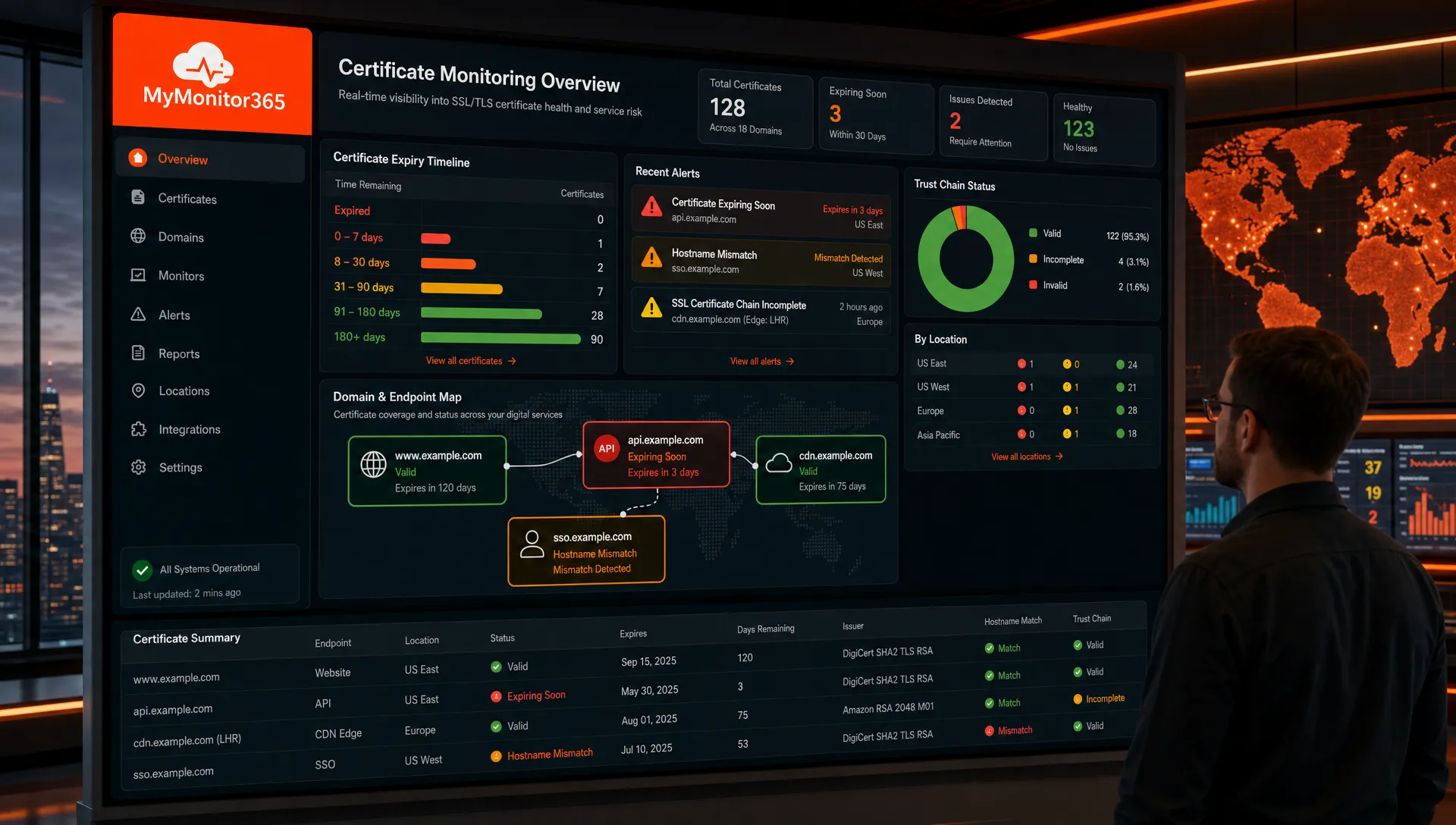
An expired or misconfigured HTTPS certificate can turn a healthy application into a visible outage in seconds. The server may still be online, the database may still be responding, and the application code may be perfect, but users see a browser warning, API clients reject the connection, and automated workflows fail before a single request reaches your app.
For IT managers, network teams, CIOs, and IT operations leaders, the lesson is straightforward: certificate monitoring is not a housekeeping task. It is part of service availability, customer trust, and operational risk management.
Modern environments make this harder than it used to be. A single business service may depend on a public website, API gateway, CDN, load balancer, Kubernetes ingress, identity provider, webhook endpoint, and third-party SaaS custom domain. Each one can present a different certificate. Each one can fail differently. A calendar reminder 30 days before renewal is no longer enough.
Why HTTPS certificate failures create expensive outages
HTTPS certificates sit at the front door of your digital services. When the certificate is invalid, expired, mismatched, incomplete, or untrusted, the failure happens before the application layer can do anything useful.
That makes certificate incidents especially disruptive. Users may not see a friendly error page from your application. They may see a browser security warning that damages confidence. API clients may fail with TLS handshake errors. Payment integrations, SSO redirects, monitoring agents, webhooks, and mobile apps may stop working without a clear message for the end user.
The impact can include:
- Lost revenue when customers cannot complete transactions
- Increased support volume from users reporting security warnings
- SLA exposure for customer-facing and partner-facing services
- Failed automations between internal systems and SaaS platforms
- Delayed incident response because the application itself appears healthy
- Reputational damage when users believe the site is unsafe
Certificate failures are rarely caused by the cryptography itself. They are usually operational failures: no complete inventory, no owner, wrong renewal workflow, missing intermediate certificate, stale DNS, or monitoring that only checks one endpoint while the broken certificate is served somewhere else.
The HTTPS certificate checks that actually prevent outages
A useful HTTPS certificate check must do more than report an expiration date. Expiration monitoring matters, but it is only one part of the trust path real clients use.
The goal is to verify that the right certificate is presented, for the right hostname, from the right locations, with a valid trust chain, before users or dependent systems notice a problem.
| Check | What it detects | Outage it helps prevent |
|---|---|---|
| Expiration date | Certificates nearing the end of validity | Forgotten renewals and sudden browser or API failures |
| Hostname and SAN match | Certificates issued for the wrong domain | Browser warnings and client rejection due to name mismatch |
| Certificate chain validity | Missing or incorrect intermediate certificates | Failures for clients that cannot build a trusted chain |
| Issuer and trust status | Unexpected CA changes or untrusted certificates | Compatibility issues and security policy violations |
| SNI-specific certificate | Wrong certificate served for a hostname | Multi-tenant load balancer, ingress, or CDN misrouting |
| TLS handshake success | Protocol, cipher, or negotiation failures | Clients unable to establish secure connections |
| HTTPS response validation | App reachable after the secure connection | False confidence when TLS works but the service is down |
| Multi-location checks | Regional edge or routing differences | Localized outages hidden from a single monitoring location |
| DNS and certificate alignment | DNS pointing to an old endpoint or wrong provider | Certificate mismatch after DNS, CDN, or load balancer changes |
If your team wants a deeper refresher on the fields inside a certificate, this guide to checking an SSL certificate and what to look for covers expiry, issuer, SANs, certificate chains, and TLS configuration in more detail.
Start with a complete certificate inventory
You cannot monitor what you have not discovered. Many certificate incidents happen because teams only track the obvious domains, such as the marketing website or primary customer portal, while ignoring smaller endpoints that support the business.
A practical certificate inventory should include public and private endpoints that use HTTPS or TLS. Start with customer-facing websites, APIs, admin portals, identity and SSO endpoints, webhook receivers, partner integrations, remote access portals, VPN web interfaces, mail security portals, and any SaaS custom domains under your organization’s control.
Do not assume wildcard certificates cover everything. Wildcards can simplify issuance, but they do not guarantee every edge node, reverse proxy, ingress controller, or load balancer is presenting the correct certificate. Also remember that some certificates are managed by internal teams while others are managed by hosting providers, CDN vendors, application teams, or MSPs.
For each monitored certificate, record the service owner, renewal owner, DNS owner, business criticality, escalation path, and expected renewal method. This ownership data matters during an incident. The alert is only useful if it reaches someone who can act.
Organizations that rely on outside operational support should also define clear responsibility boundaries. For example, businesses working with a managed IT services partner should confirm who owns certificate inventory, renewal execution, DNS validation, and after-hours escalation so certificate incidents do not fall between teams.
Set alert thresholds that match business risk
A single alert the day before expiration is too late. A single alert 60 days before expiration is too easy to ignore. Effective HTTPS certificate checks use staged alerting that escalates as risk increases.
A common model is to warn early, increase urgency as the expiration date approaches, and route the final alerts to on-call channels. The exact thresholds should reflect your renewal process, approval requirements, change windows, and service tier.
| Time before expiration | Suggested severity | Operational response |
|---|---|---|
| 30 days | Low or medium | Confirm renewal path, owner, and change window |
| 14 days | Medium | Validate renewal request, DNS challenge, or CA process |
| 7 days | High | Escalate to service owner and schedule immediate action |
| 3 days | Critical | Treat as an active availability risk |
| 24 hours | Critical | Page the responsible team if the certificate is still not renewed |
For high-value domains, APIs, and authentication endpoints, you may want earlier alerts. Some enterprises begin tracking at 60 or 90 days because renewals require security review, procurement steps, or coordinated change management.
The key is not the exact number of days. The key is that alerts create action. If alerts are ignored, they are noise. If they route to a shared mailbox with no owner, they are not operational controls.
Monitor certificate changes, not just expiration
Renewal is not the only risky moment. A certificate can change unexpectedly because of CDN automation, load balancer replacement, ACME reissuance, vendor migration, secret rotation, or a misconfigured deployment pipeline.
Most certificate changes are legitimate. Some are not. Either way, a change should be visible to operations teams.
A good certificate monitoring policy should detect changes to the issuer, serial number, SAN list, expiration date, and presented chain. This helps teams catch mistakes such as a certificate missing a required hostname, a staging certificate deployed to production, a short-lived test certificate replacing a production certificate, or a new intermediate chain that breaks older clients.
This is where security and availability overlap. Certificate checks help prevent downtime, but they also help teams notice unusual trust changes that may deserve investigation. For a broader view of how these signals fit together, MyMonitor365’s article on why network and security monitoring must work together explains how DNS changes, certificate changes, and availability signals can reveal issues earlier.
Check the certificate real users receive
Manual checks from a browser are useful for troubleshooting, but they are not enough for production assurance. Your browser may connect from one location, through one DNS resolver, to one CDN edge, using one set of TLS capabilities. Your users and integrations may take a different path.
Certificate monitoring should test the real hostname with SNI enabled. Server Name Indication matters because many servers and load balancers host multiple certificates on the same IP address. Without SNI-aware checks, monitoring may validate a default certificate and miss the certificate actually served to your application domain.
You should also monitor through the same public path your users take, not only from inside the corporate network. Internal checks can hide problems that affect the internet edge, including CDN configuration issues, public DNS mistakes, geolocation routing problems, and firewall rules that behave differently by region.
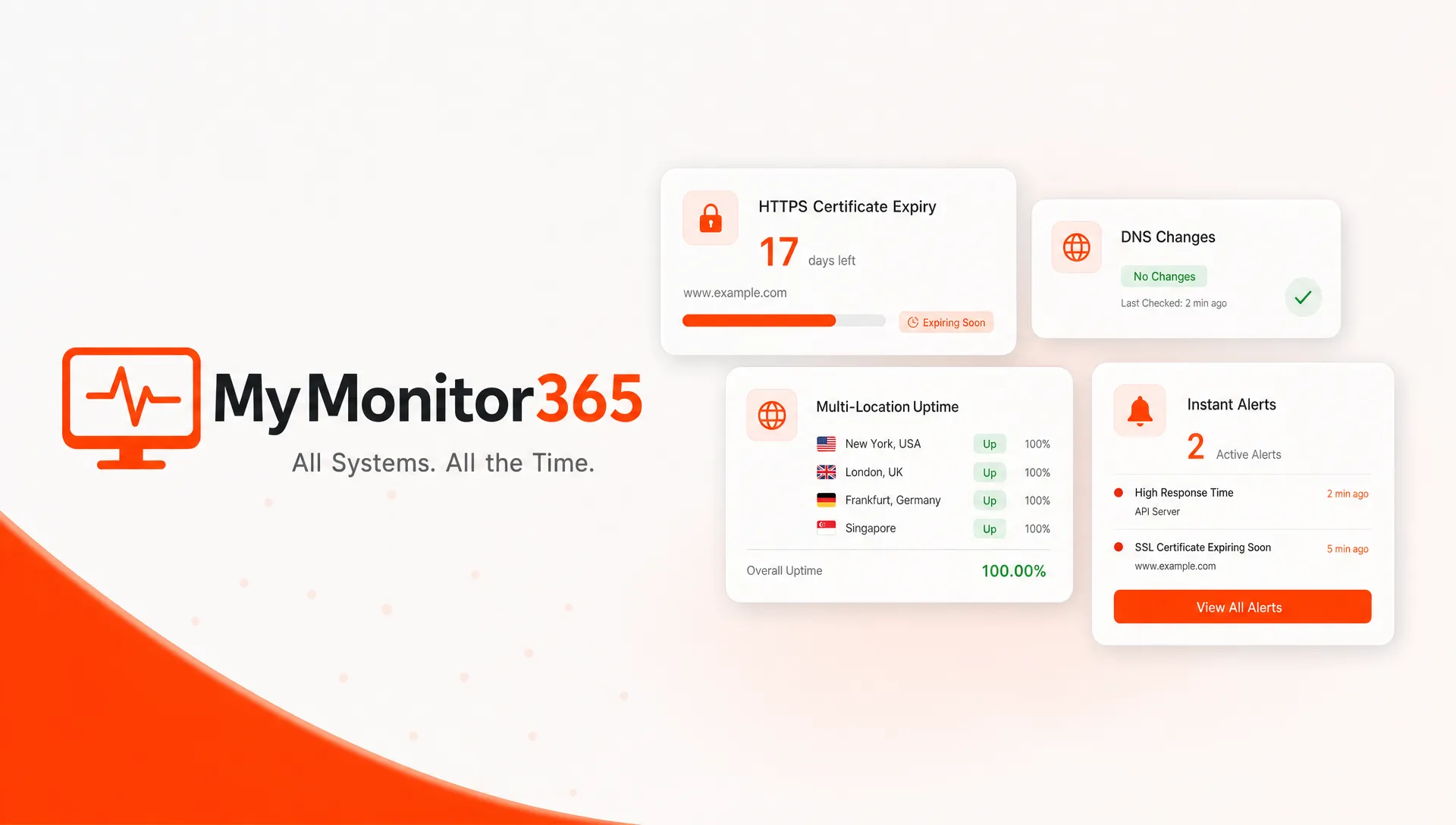
Multi-location checks are especially valuable for CDN-backed services. A certificate may be renewed on one edge but not another. A load balancer pool may serve the correct certificate in one region and an outdated certificate in another. A single monitoring location can easily miss these partial failures.
Watch for the certificate blind spots that cause real incidents
Many certificate outages come from endpoints that were not treated as production-critical until they failed. The following blind spots deserve extra attention in enterprise and MSP environments.
CDN and WAF edge certificates
CDNs and web application firewalls often terminate TLS before traffic reaches your origin. That means the certificate users see may live in the CDN provider, not on your server. If you only monitor the origin, you may miss the certificate that matters most.
Custom domains in CDN platforms also introduce validation workflows. If DNS validation expires, CAA records block issuance, or a domain is moved between accounts, renewal can fail even though the origin service is healthy.
API and webhook endpoints
Users may not browse to API endpoints directly, but business workflows depend on them. Expired certificates on API gateways, webhook receivers, payment callbacks, and automation endpoints can break integrations silently.
For APIs, combine certificate checks with HTTP/API monitoring. A valid certificate only proves that the secure connection can be established. It does not prove that the endpoint returns the expected status code, content, or application response.
SaaS custom domains
Many SaaS platforms allow custom domains for portals, help desks, authentication pages, and customer communities. These certificates may be managed by the SaaS vendor, the internal IT team, or a shared process involving DNS validation.
If the domain is important to your users, monitor it as part of your estate even when the underlying application is hosted elsewhere.
Internal certificates used by critical systems
Internal certificates can be just as disruptive as public certificates. Management interfaces, internal APIs, service meshes, directory services, and private web applications may all depend on TLS.
The monitoring pattern is similar: inventory the endpoint, define the owner, check the certificate, validate the chain trusted by clients, and alert before expiration. The difference is that checks may need to run from inside the network or from approved monitoring locations.
DNS changes that break certificate alignment
A DNS update can route users to an endpoint that presents a different certificate. This is common during migrations, CDN changes, blue-green deployments, and disaster recovery exercises.
Certificate monitoring becomes more powerful when paired with DNS monitoring. If the A, AAAA, CNAME, or nameserver path changes at the same time certificate errors begin, responders have a much faster path to root cause. MyMonitor365’s guide to DNS resolution failures, causes, fixes, and alerts is a helpful companion when mapping these dependencies.
Make certificate alerts actionable
An alert that says “certificate problem” is not enough during an incident. The alert should tell the responder what failed, where it failed, how urgent it is, and what changed.
At minimum, an actionable HTTPS certificate alert should include the monitored hostname, port, observed certificate expiration date, days remaining, issuer, subject or SAN mismatch details, chain validation result, monitoring location, timestamp, and the last known good state.
For larger teams, add routing metadata such as service tier, business owner, technical owner, runbook link, escalation policy, and whether the alert is inside an approved maintenance window. These details reduce triage time and prevent alerts from bouncing between network, security, application, and platform teams.
Maintenance windows are also important. Planned certificate rotation should not create unnecessary noise, but maintenance windows should not suppress critical alerts for unrelated endpoints. Keep the scope tight and document what is expected to change.
Build a certificate monitoring runbook
A simple runbook turns certificate alerts into predictable action. It also helps junior responders handle common issues without waiting for a senior engineer.
Your runbook should answer these questions:
- Which certificate is failing, and which service does it protect?
- Is the failure expiration, hostname mismatch, trust chain, TLS negotiation, or HTTP response?
- Is the issue global or limited to specific monitoring locations?
- Did DNS, CDN, load balancer, or ingress configuration change recently?
- Who owns renewal, deployment, and rollback?
- What is the approved emergency renewal process?
- How do responders verify the fix from outside the network?
For mission-critical services, test the runbook before you need it. Include certificate renewal scenarios in disaster recovery drills and change management reviews. A renewal that works on paper can still fail because of expired DNS validation, missing access to the CA account, incorrect secrets, or a deployment pipeline that does not reload the new certificate.
How MyMonitor365 supports HTTPS certificate outage prevention
MyMonitor365 helps IT and MSP teams treat certificate health as part of infrastructure monitoring, not as an isolated checklist. Teams can combine SSL security monitoring with HTTP/API checks, DNS change monitoring, ping and ICMP checks, TCP port monitoring, keyword content checks, multi-location monitoring, maintenance windows, audit logs, and alert integrations.
That combination matters because certificate incidents rarely happen alone. A certificate mismatch may follow a DNS change. A valid certificate may hide an application outage. A regional failure may only appear from one monitoring location. A planned renewal may need a maintenance window so responders can distinguish expected change from real risk.
If you are building a broader monitoring strategy, the complete infrastructure monitoring guide explains how SSL, DNS, HTTP, TCP, ping, and other checks work together across the full stack.
A 30-minute HTTPS certificate check rollout plan
If your team is not yet monitoring certificates systematically, start with the highest-risk services and expand from there. The goal is to create useful coverage quickly, then improve it over time.
| Step | Action | Outcome |
|---|---|---|
| 1 | List customer-facing websites and APIs | Immediate visibility into the highest-impact endpoints |
| 2 | Add SSL or HTTPS certificate checks for each hostname | Expiration, mismatch, and chain issues become visible |
| 3 | Enable multi-location checks for critical services | Regional edge problems are easier to detect |
| 4 | Pair certificate checks with HTTP/API checks | Teams know whether the service works after TLS succeeds |
| 5 | Add DNS monitoring for key domains | Routing and certificate alignment issues are easier to diagnose |
| 6 | Set staged alert thresholds | Renewals are handled before they become emergencies |
| 7 | Assign owners and escalation paths | Alerts reach the team that can fix the issue |
| 8 | Review alert history monthly | Gaps, noisy checks, and weak runbooks are improved over time |
This does not need to be a large project. The fastest wins usually come from monitoring the domains everyone assumes are already covered.
Frequently Asked Questions
Is HTTPS certificate expiration monitoring enough? No. Expiration checks are essential, but they do not catch hostname mismatches, missing intermediate certificates, SNI issues, regional CDN problems, or DNS changes that route users to the wrong endpoint.
How often should HTTPS certificate checks run? Critical public services should be checked frequently enough to detect changes quickly and alert well before expiration. The right interval depends on business impact, but high-priority websites and APIs should not rely on daily manual review.
Should internal certificates be monitored too? Yes. Internal certificates can break management portals, internal APIs, service-to-service communication, and administrative access. They may require private monitoring locations, but they should still have owners, alert thresholds, and renewal runbooks.
What is the best alert threshold for certificate expiration? Many teams use staged thresholds such as 30, 14, 7, 3, and 1 day before expiration. More regulated or change-controlled environments may need earlier warnings so approvals and maintenance windows can be completed in time.
Can a certificate be valid while the website is still down? Yes. TLS may succeed while the application returns an error, the wrong content, or no useful response. That is why certificate checks should be paired with HTTP/API monitoring and content validation for critical services.
Prevent certificate issues before users notice
HTTPS certificate outages are preventable when monitoring reflects how real services work. Track the certificate, validate the trust path, check from multiple locations, watch DNS alignment, and route alerts to accountable owners before the renewal window becomes an incident.
With MyMonitor365, IT operations and MSP teams can monitor SSL, HTTP/API availability, DNS changes, network reachability, and more from one platform, with alerts designed to help teams respond before users are affected.
Hashtags
#HTTPSCertificate #SSLMonitoring #TLS #UptimeMonitoring #ITOperations #NetworkMonitoring #MSP #InfrastructureMonitoring #DNSMonitoring #Cybersecurity