
ICMP Ping Monitoring: What It Catches and What It Misses
Learn what ICMP ping monitoring catches, where it fails, and how IT teams combine it with TCP, DNS, SSL, and HTTP checks.
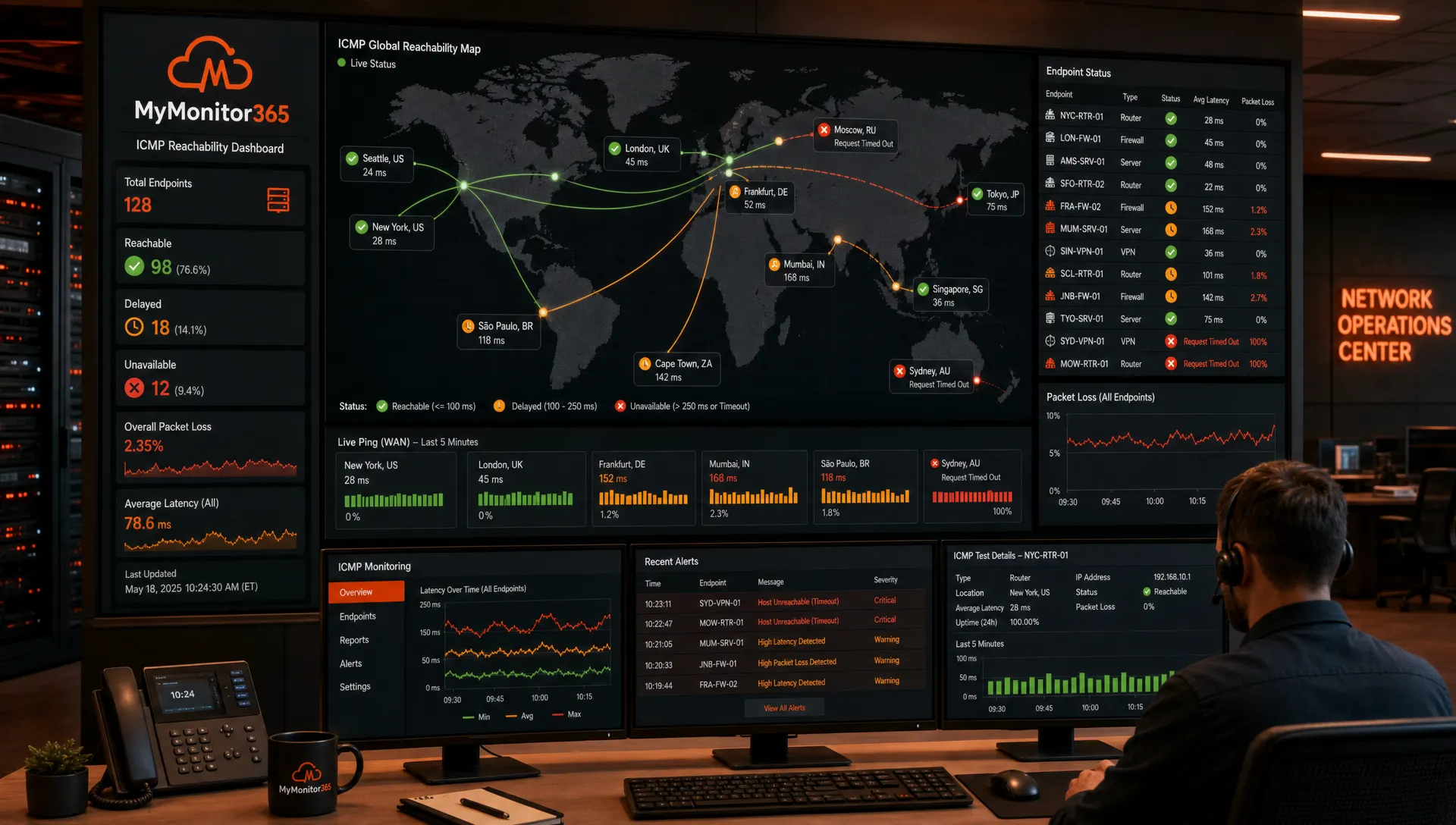
ICMP ping monitoring is one of the oldest, simplest, and most useful checks in IT operations. It answers a basic question quickly: can this host be reached over the network, and how long does the round trip take?
That simplicity is exactly why teams still rely on it for routers, firewalls, switches, servers, VPN endpoints, and public services. But it is also why ping creates blind spots when it is treated as a complete availability test. A server can respond to ping while its web application is down. A website can be working perfectly while ICMP is blocked. A DNS issue can make users unable to connect even though the destination IP still replies.
For IT managers, network teams, CIOs, and IT operations leaders, the practical question is not whether ICMP ping is good or bad. The question is where it belongs in a modern monitoring stack.
What ICMP ping monitoring actually measures
Ping uses the Internet Control Message Protocol, commonly known as ICMP, to send an Echo Request and wait for an Echo Reply. The original ICMP specification is defined in RFC 792, while ICMPv6 is defined separately in RFC 4443. In everyday operations, ping is used to test basic IP reachability and measure round-trip time.
An ICMP ping monitor typically tracks three things:
- Reachability: whether the target responds at all.
- Latency: how long the reply takes to come back.
- Packet loss: how many probes fail over a time window.
Those signals are valuable because they come from a low-level network perspective. Ping does not need a web server, database, certificate, DNS resolver, or application framework to be healthy. If a router, firewall, or server stops replying from multiple monitoring locations, you likely have a connectivity problem worth investigating.
But ping is not a user experience check. It does not prove that a login page loads, an API returns the right response, a certificate is valid, or a database-backed workflow completes. ICMP ping monitoring is a network reachability signal, not a full service health signal.
What ICMP ping monitoring catches well
Ping is best at catching failures that affect basic connectivity. It gives teams an early, lightweight signal that something in the network path or host availability has changed.
Complete host or path failure
The clearest use case is detecting when a host stops responding. This might happen because a server is powered off, a virtual machine is down, a router has failed, a public IP is no longer reachable, or an upstream route has broken.
For infrastructure teams, this is often the first alert that separates a network problem from an application problem. If a device that normally replies to ICMP suddenly stops responding from several locations, the incident likely starts below the application layer.
Latency spikes and packet loss
Ping is also useful for spotting network degradation. A service may still be technically available, but higher latency or packet loss can make it feel slow or unreliable for users.
Examples include congested WAN links, overloaded VPN gateways, bad peering paths, wireless backhaul issues, failing network hardware, or provider instability. A single slow ping does not prove an incident, but a sustained change from baseline deserves attention.
This is where trend data matters. A router with a normal round-trip time of 20 ms that suddenly averages 180 ms may still be “up,” but it is no longer healthy in the operational sense.
Routing and regional reachability problems
Multi-location ICMP ping monitoring can reveal whether a problem is global or regional. If checks fail from every location, the target or its immediate network may be down. If only one region fails, the issue may involve routing, transit, filtering, or a localized provider problem.
This distinction is especially important for MSPs and distributed organizations. A customer may report that a service is unreachable from one office while other locations work normally. Ping from multiple external locations can help confirm whether the problem is isolated or widespread.
Simple device and network inventory coverage
Not every monitored asset runs HTTP or exposes an application port. Routers, switches, firewalls, load balancers, access points, and some appliances may be best monitored first through ICMP.
Ping gives teams a practical baseline for infrastructure visibility. It is often the easiest way to know whether important network endpoints are still reachable before deeper checks are layered on top.
| Ping signal | What it can indicate | What to verify next |
|---|---|---|
| No response from all locations | Host down, route failure, firewall change, provider outage | Console access, upstream status, firewall rules, device health |
| No response from one location | Regional routing issue, monitoring location issue, filtering | Traceroute, provider path, multi-location comparison |
| High latency | Congestion, overloaded device, poor route, WAN issue | Traffic graphs, interface errors, CPU load, route changes |
| Packet loss | Link instability, rate limiting, congestion, hardware fault | Network interface stats, provider tickets, application impact |
| Intermittent response | Flapping link, overloaded host, ICMP deprioritization | Correlate with TCP, HTTP, logs, and device metrics |
What ICMP ping monitoring misses
Ping is powerful because it is simple. It is limited for the same reason. It tells you whether ICMP replies are coming back, not whether the service users depend on is actually working.
Application failures
A web server can respond to ping while returning HTTP 500 errors. An API can reply to ICMP while its authentication service is broken. A database-backed application can be reachable at the network layer while queries time out behind the scenes.
This is one of the most common monitoring mistakes: treating server reachability as service availability. Users do not care that a server replies to ping if the checkout page, admin portal, or API endpoint is unusable.
For public web services and APIs, ICMP should be paired with HTTP or API monitoring that validates status codes, response time, and expected content.
Closed or broken TCP services
Ping does not confirm that a specific TCP service is listening. A host may be alive while SSH, RDP, HTTPS, SMTP, or a custom application port is down.
For example, if a firewall policy accidentally blocks TCP 443 but still allows ICMP, ping will report success even though users cannot load the site. This is why teams often combine ping with TCP port monitoring for service-level checks. Ping confirms the host is reachable. TCP checks confirm the expected service port accepts connections.
DNS resolution issues
Pinging an IP address does not prove that DNS works. Users often connect by hostname, not raw IP. If a DNS record is missing, stale, misconfigured, or failing through a resolver path, users may be unable to reach the service even while the destination IP responds to ping.
This distinction matters during migrations, CDN changes, failovers, and domain renewals. DNS can be the real incident while ping to the old or direct IP looks healthy.
SSL and certificate problems
Ping has no understanding of TLS certificates. It cannot detect expired certificates, hostname mismatches, missing intermediates, weak configurations, or certificate chain issues.
From a user’s perspective, an HTTPS certificate failure can be a full outage. Browsers may block the site, API clients may reject the connection, and automated integrations may fail. ICMP will not see any of that. For HTTPS services, ping should be supported by certificate checks that validate TLS health.
Content and business logic failures
Even HTTP status checks may not be enough for some services. A homepage can return 200 OK while displaying a maintenance message, a blank page, or the wrong tenant’s content. A payment callback endpoint can be reachable while returning an invalid response body.
Ping cannot validate content, keywords, redirects, authentication flows, or transaction outcomes. It is a signal for network reachability, not business process correctness.
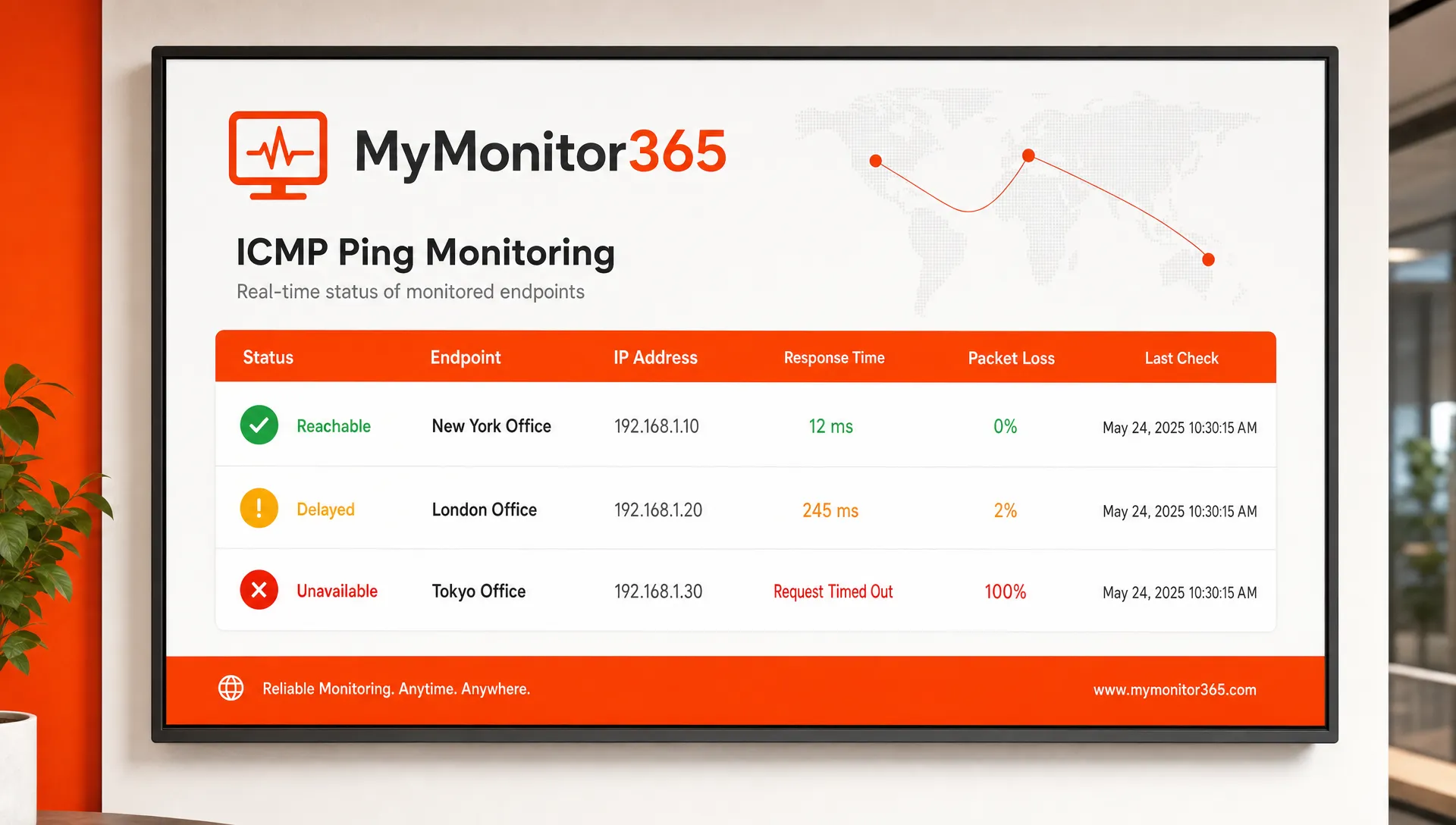
False positives and false negatives in ICMP ping monitoring
A false positive happens when ping alerts you to a problem that does not affect the monitored service. A false negative happens when ping looks healthy while users are impacted.
ICMP is especially prone to both if it is used without context.
Some networks block ICMP by policy. In that case, ping may fail even when HTTPS, SSH, or another allowed protocol works. Some devices also rate-limit or deprioritize ICMP under load, which can create packet loss in monitoring without equivalent loss for application traffic.
The reverse problem is more dangerous. Ping may remain green during a real service outage. If the server kernel is alive and the network path is open, ICMP replies can continue even when the application process has crashed, a reverse proxy is misconfigured, or a certificate has expired.
| Scenario | Ping result | User impact | Risk if ping is your only check |
|---|---|---|---|
| Server powered off | Fails | High | Low, ping catches it |
| Firewall blocks ICMP only | Fails | None or low | False outage alert |
| Web server process down | Succeeds | High | Missed outage |
| DNS record deleted | IP ping succeeds | High for hostname users | Missed outage |
| TLS certificate expired | Succeeds | High for HTTPS users | Missed outage |
| Packet loss on WAN path | Degraded | Medium to high | Useful early warning |
| ICMP rate-limited by device | Degraded or failed | Maybe none | Noisy alert |
The operational takeaway is clear: ping is a good first layer, but it should not be the only layer.
How to use ICMP ping monitoring without blind spots
The best monitoring strategies treat ping as one signal in a layered model. It answers “is the target reachable?” Then other checks answer “is the service listening?”, “does DNS resolve?”, “is HTTPS valid?”, and “does the application return the expected response?”
If you are designing a broader monitoring approach, MyMonitor365 has a deeper guide on how to monitor network infrastructure without blind spots. The key principle is to monitor the path from the user’s perspective, not just the existence of a server.
Establish a normal baseline
A ping alert threshold should reflect the normal behavior of the target. A cloud-hosted endpoint, a branch firewall, and a remote industrial device may all have different healthy latency profiles.
Instead of using one universal threshold, monitor historical patterns. Look at typical latency, acceptable packet loss, and known maintenance periods. Alerting on a 100 ms response time may be appropriate for one service and useless for another.
Use multiple monitoring locations
Single-location monitoring can mislead you. If your monitoring probe is affected by a local ISP issue, you may receive alerts for services that are working globally. If your probe is too close to the target, you may miss regional routing failures that affect real users.
Multi-location checks help separate target outages from path-specific problems. For public services, they also provide a better approximation of user experience across different networks.
Pair ping with protocol-specific checks
A practical monitoring stack should match each service to the way users actually consume it.
| Asset or service | Useful first check | Additional checks to add |
|---|---|---|
| Router or firewall | ICMP ping | Interface health, VPN checks, public IP reachability |
| Web application | ICMP ping | HTTP status, response time, keyword content, SSL certificate |
| API endpoint | ICMP ping | HTTP/API response validation, latency, authentication path if appropriate |
| Mail server | ICMP ping | TCP SMTP port, DNS records, blacklist status where relevant |
| DNS service | ICMP ping | Authoritative DNS response, resolver checks, record change monitoring |
| Database server | ICMP ping | TCP port, internal service checks, application dependency monitoring |
This layered approach reduces ambiguity. If ping fails and HTTP fails, the incident may be network or host related. If ping succeeds but HTTP fails, the issue is likely closer to the service or application layer. If HTTP works from one region but not another, routing, CDN, or regional dependency issues become more likely.
Tune alerts for actionability
Ping checks can become noisy when thresholds are too aggressive. Short network blips happen. ICMP packets can be dropped without meaningful user impact. On the other hand, waiting too long to alert can delay incident response.
A balanced approach usually considers duration, severity, and correlation. For example, one missed probe may be recorded but not paged. Several consecutive failures from multiple locations may trigger an urgent alert. Increased latency may create a warning before it becomes a full outage.
Maintenance windows also matter. Planned firewall upgrades, provider work, and server patching should not create unnecessary incident noise. The goal is not to collect the most alerts. The goal is to notify the right team when action is needed.
Use dependencies to reduce alert storms
Ping is often used across many related devices. If an upstream router or firewall goes down, every child device behind it may also stop responding. Without dependency logic, one root issue can generate dozens or hundreds of alerts.
Dependency-aware monitoring helps suppress noise while preserving incident records. When a parent monitor is down, child failures can be tracked without paging the team repeatedly for symptoms of the same upstream outage. MyMonitor365 has also covered monitor dependencies for ping monitors as a way to make alerting more useful during upstream failures.
When ICMP ping should be your primary signal
There are cases where ping is exactly the right primary check. Network infrastructure often needs a low-level reachability test before anything else.
ICMP ping monitoring is especially useful for routers, firewalls, VPN endpoints, branch office public IPs, switches with management interfaces, appliances that do not expose application protocols, and basic server reachability checks.
It is also useful as an early warning signal. If latency or packet loss changes before users complain, operations teams can investigate congestion, routing, provider performance, or hardware degradation proactively.
When ping should not be the deciding signal
Ping should not be the main availability metric for services where the user experience depends on higher layers. Websites, APIs, SaaS portals, customer login flows, payment systems, DNS-dependent services, and HTTPS endpoints need more than ICMP.
In these cases, ping can still help with triage. It can quickly show whether the host or network path is reachable. But the service-level alert should come from the protocol that users rely on, such as HTTP, TCP, DNS, or SSL/TLS.
A simple rule works well: use ICMP to monitor reachability, but use user-facing checks to monitor availability.
A practical ICMP ping monitoring checklist
Before relying on ping alerts in production, make sure your setup answers the operational questions your team actually needs.
- Define whether the monitor represents a host, a network path, or a user-facing service.
- Set latency and packet loss thresholds based on baseline behavior, not guesses.
- Use multi-location checks for public or business-critical endpoints.
- Correlate ping alerts with TCP, HTTP, DNS, and SSL checks.
- Account for ICMP blocking, filtering, and rate limiting in your alert rules.
- Use maintenance windows for planned network and server work.
- Suppress child alerts when an upstream dependency is already known to be down.
This checklist keeps ping in its proper role. It remains fast and useful, without being asked to prove things it was never designed to prove.
Frequently Asked Questions
What is ICMP ping monitoring? ICMP ping monitoring sends Echo Requests to a target and waits for Echo Replies. It is used to measure basic network reachability, latency, and packet loss.
Does a successful ping mean a website is up? No. A server can respond to ping while the website returns errors, has an expired certificate, fails DNS resolution, or serves incorrect content. Website monitoring should include HTTP, SSL, DNS, and content checks.
Why would ping fail if the service is still working? Some networks block, filter, rate-limit, or deprioritize ICMP traffic. In those cases, ping may fail even though TCP services such as HTTPS or SSH remain available.
Should ICMP ping be enabled for all servers? Not always. Some organizations restrict ICMP for policy reasons. If ICMP is blocked, use TCP or application-level checks instead. The best choice depends on the asset, exposure, and operational requirements.
How often should ping checks run? The right interval depends on the criticality of the system and the level of alert noise your team can manage. Critical infrastructure often needs frequent checks, while lower-priority systems may use longer intervals.
What should I combine with ICMP ping monitoring? Combine ping with TCP port checks, HTTP/API monitoring, DNS monitoring, SSL certificate checks, keyword content checks, and multi-location monitoring for a more complete view of service health.
Build a stronger monitoring stack with MyMonitor365
ICMP ping monitoring is a valuable first layer, but it should not be your only line of defense. MyMonitor365 helps IT and MSP teams monitor uptime, performance, and security across websites, servers, DNS, SSL, HTTP/API endpoints, TCP ports, and network services.
With ICMP checks, multi-location monitoring, maintenance windows, alert integrations, DNS change monitoring, SSL security checks, and more, MyMonitor365 gives operations teams the visibility they need to detect incidents earlier and troubleshoot with more context.
Hashtags
#ICMPPing #NetworkMonitoring #UptimeMonitoring #ITOperations #InfrastructureMonitoring #MSP #SysAdmin #IncidentResponse #MyMonitor365