
Microsoft 365 Security Monitoring for Stronger SaaS Resilience
Improve Microsoft 365 security monitoring with practical SaaS resilience checks for identity, DNS, SSL, email, alerts and incident response.
Microsoft 365 rarely fails in only one way. For an IT manager, a Teams outage, Exchange Online delay or Entra ID sign-in problem can look identical to a DNS mistake, expired federation certificate or local network issue until monitoring separates the layers.
That is why Microsoft 365 security monitoring should be treated as a SaaS resilience practice, not only as a compliance task. Microsoft operates the cloud service, but your organization still owns tenant configuration, identity controls, custom domains, hybrid dependencies, alert routing and incident response.
A resilient approach answers three operational questions fast:
- Is Microsoft 365 itself degraded, or is this a tenant, network or configuration issue?
- Is the issue affecting one office, one region, one user group or everyone?
- Is this an availability incident, a security event or both?
When those answers come from live monitoring instead of user complaints, IT teams gain time. That time matters during identity attacks, DNS changes, mail flow disruption and critical SaaS outages.
Why Microsoft 365 Resilience Needs Security Monitoring
Microsoft 365 is now the working surface for email, files, meetings, identity, automation and external collaboration. A small configuration drift can have a broad blast radius. An attacker who compromises an admin account can change mailbox rules, disable protections, modify sharing policies or abuse OAuth permissions. A DNS change can break email authentication. A certificate issue can interrupt federated sign-in.
Native Microsoft tools are essential. The Microsoft 365 admin center, Entra ID logs, Defender XDR, Exchange Online reports, Purview audit logs and Service health notifications all provide valuable signals, depending on licensing and configuration. The problem is that these signals do not always describe the user experience from your offices, branches, remote workforce or client environments.
External monitoring closes that gap. It checks the services, records and access paths your users depend on from outside the tenant. It also gives MSPs and IT operations teams an independent source of truth when deciding whether to escalate internally, open a Microsoft support case or investigate a local network problem.
For broader context on why these signals should not live in separate silos, MyMonitor365 has covered how network and security monitoring must work together when diagnosing outages and suspicious changes.
The Core Layers of Microsoft 365 Security Monitoring
A strong monitoring model does not try to watch every event with the same urgency. It focuses on the layers that can interrupt access, weaken defenses or indicate compromise.
| Monitoring layer | What to watch | Why it matters |
|---|---|---|
| Identity and access | Entra ID sign-ins, risky users, MFA failures, admin role changes, conditional access changes | Most Microsoft 365 incidents start or spread through identity |
| Tenant security posture | Secure Score trends, disabled protections, mailbox rule anomalies, sharing policy changes | Configuration drift can quietly increase exposure |
| DNS and domain records | MX, SPF, DKIM, DMARC, Autodiscover, CNAME and TXT changes | DNS errors can disrupt mail flow, SSO, verification and brand trust |
| SSL and certificates | Customer-owned certificates for federation, proxies, hybrid services and portals | Expired or misconfigured certificates can block authentication and access |
| External availability | HTTP(S), API, TCP, ping and keyword checks for critical endpoints | Confirms whether users can reach services and dependencies from multiple locations |
| Email security and routing | Mail flow alerts, authentication failures, spoofing signals, quarantine patterns | Email is both a business-critical service and a common attack vector |
| Alert response | Ownership, escalation paths, maintenance windows, audit trails | Good monitoring fails if alerts do not reach the right team quickly |
This layered model keeps Microsoft 365 security monitoring practical. Identity teams see the tenant-level risks. Network teams see connectivity and DNS. IT operations sees service availability and escalation. Security sees suspicious change and compromise indicators.
Monitor Identity First, Because SaaS Resilience Starts There
If users cannot authenticate, Microsoft 365 is effectively down even when Microsoft reports no global incident. Identity monitoring should cover both security and availability signals.
At minimum, IT teams should watch for spikes in MFA failures, unusual sign-in locations, risky sign-ins, repeated conditional access blocks, admin role changes and disabled security defaults or policies. For privileged accounts, monitor role activation patterns if Privileged Identity Management is in use.
Identity monitoring also needs a dependency view. If you use federation, self-hosted identity infrastructure or third-party SSO components, those systems should have availability checks of their own. An unavailable federation endpoint, closed TCP port or expired certificate can look like a Microsoft 365 failure to users, even though the failure is inside your identity path.
This is where external checks become useful. HTTP(S), TCP port and SSL monitoring can validate whether sign-in dependencies are reachable and properly secured from outside your internal network. For hybrid or federated environments, that outside-in perspective often shortens triage.
Treat DNS as a Security Control, Not Just a Setup Step
DNS is one of the easiest Microsoft 365 dependencies to overlook after initial tenant setup. It is also one of the highest impact layers to monitor continuously.
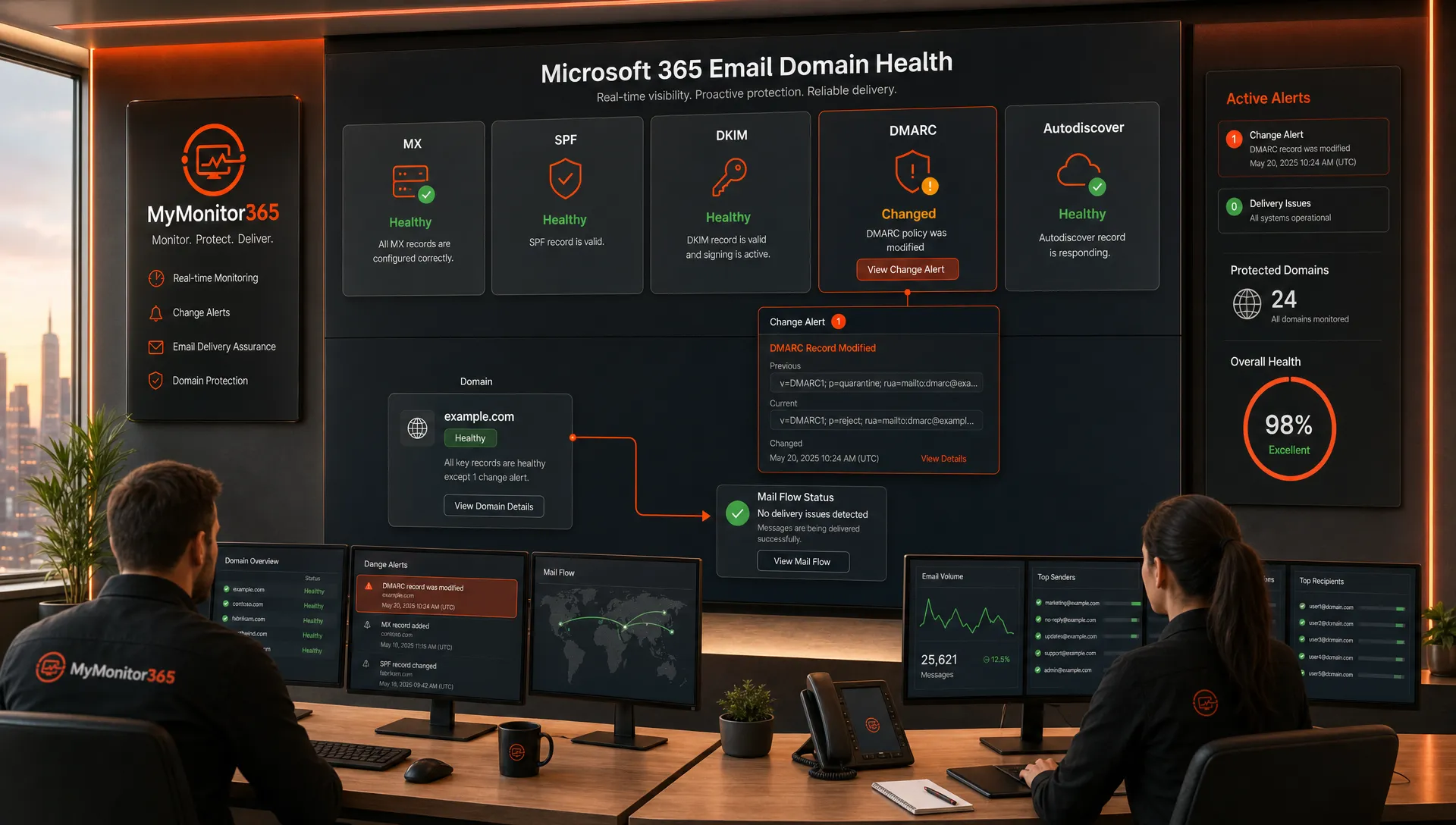
For Microsoft 365, critical DNS records often include MX records for Exchange Online, SPF, DKIM and DMARC for email authentication, Autodiscover records, domain verification TXT records and CNAME records used by services or third-party integrations. A bad change can interrupt mail delivery, weaken spoofing protection or route users to the wrong destination.
DNS change monitoring gives IT teams a fast signal when records change unexpectedly. The value is not only uptime. It is also security. Unauthorized DNS changes can indicate registrar compromise, delegated admin misuse or mistakes during migration work.
If DNS is part of your Microsoft 365 resilience plan, pair change alerts with ownership. Every critical domain should have a named technical owner, a registrar owner, documented DNS provider access and an escalation path. MyMonitor365 also has a practical guide to DNS security best practices for critical domains if you want to tighten this layer further.
Watch Certificates That Microsoft Does Not Own
Many organizations assume Microsoft 365 certificate resilience is entirely Microsoft-managed. For core Microsoft-hosted services, that is usually true. But customer-owned services around Microsoft 365 can still depend on your certificates.
Common examples include AD FS or other federation services, reverse proxies, hybrid Exchange components, secure mail gateways, custom portals, API integrations and network appliances that sit in the access path. If one of these certificates expires, users may experience sign-in failures, mail routing issues or browser security warnings.
SSL monitoring should track expiration, validity, hostname match and certificate chain health. For operational resilience, alert before the risk becomes urgent. A 30-day warning gives teams room to renew calmly. A 3-day warning often turns into an avoidable incident.
Add External Availability Checks Around Critical User Journeys
Microsoft 365 monitoring should not rely only on internal logs. Native logs tell you what the tenant observed. External checks tell you what the user path can reach.
For SaaS resilience, monitor the publicly reachable components that support key user journeys. Examples may include federation endpoints, SSO portals, secure gateways, mail security appliances, APIs, public status pages and web services used by business workflows. Where a page has stable content, keyword checks can confirm that the expected page loaded rather than only confirming that a server returned a 200 response.
Remote work adds another layer. Corporate VPN, SD-WAN, ISP peering, DNS resolvers and personal privacy tools can all change the route users take to Microsoft 365. Even VPN services used by employees, including VPNVision, can affect apparent location, latency and access behavior. Monitoring from multiple locations helps determine whether the issue is Microsoft, your tenant, a network path or a client access pattern.
Multi-location checks are especially useful for MSPs. If three client sites report slow Microsoft 365 access but external checks are clean from several regions, the issue may be local routing or ISP-specific. If checks fail across locations at the same time, the incident likely deserves broader escalation.
Separate Microsoft Outages From Tenant-Specific Incidents
One of the hardest parts of Microsoft 365 incident response is classification. A global Microsoft outage, a regional service degradation, a tenant misconfiguration and a local network problem can all generate the same help desk ticket: users cannot access email or Teams.
A simple classification model helps reduce confusion:
| Incident pattern | Likely direction for triage | Useful monitoring signals |
|---|---|---|
| Microsoft Service health reports active incident and external checks fail broadly | Track vendor incident and communicate internally | Service health, multi-location HTTP checks, user impact reports |
| Only one site or region is affected | Investigate network path, ISP, DNS resolver or proxy | Regional checks, ping, TCP, local network telemetry |
| Only one user group is affected | Investigate identity policy, license, group membership or endpoint posture | Entra ID logs, conditional access results, device compliance |
| Mail delivery fails after DNS change | Investigate domain records and email authentication | DNS change alerts, MX, SPF, DKIM, DMARC validation |
| Sign-in fails but Microsoft status is clear | Investigate identity dependencies and certificates | SSL checks, TCP checks, federation endpoint monitoring |
The goal is not to automate every decision. The goal is to give responders enough evidence to avoid starting from zero.
Build an Alerting Strategy That IT Teams Will Trust
Microsoft 365 security monitoring can create noise if every warning becomes an urgent incident. Alert fatigue is a resilience risk because teams start ignoring the signals that matter.
Use severity levels that reflect business impact. A failed check against a non-critical test endpoint should not page the same team as an expired federation certificate or DNS change on a production domain. Maintenance windows should suppress expected alerts during planned work. Audit logs should show what changed, who acknowledged an incident and how escalation moved.
Good alerts include context. Instead of sending only a failure message, include the affected service, check location, time of failure, last known good state, likely owner and a runbook link if available. For larger teams, shared alert practices matter as much as the monitoring technology. The guide on how security and infrastructure teams can share alerts offers a useful operating model for reducing handoff friction.
Integrations with collaboration tools also help. If your team runs incidents in chat, alerts should land where responders already work. If your MSP uses a ticketing workflow, monitoring should support clear routing and ownership.
A Practical Microsoft 365 Monitoring Roadmap
For many IT teams, the fastest path is not a large monitoring redesign. Start with the services whose failure would trigger executive attention within minutes.
| Phase | Focus | Outcome |
|---|---|---|
| 1 | Inventory critical domains, identity dependencies, mail routing paths and external endpoints | Clear map of what Microsoft 365 depends on outside Microsoft |
| 2 | Enable or review native Microsoft security and health signals | Better visibility into tenant activity, posture and service advisories |
| 3 | Add external DNS, SSL, HTTP(S), API, TCP and ping checks where relevant | Independent confirmation of availability and configuration health |
| 4 | Define severity, ownership, maintenance windows and escalation | Alerts become actionable instead of noisy |
| 5 | Review incidents monthly and tune checks | Monitoring improves based on real operational evidence |
During the first pass, avoid building checks for everything. Pick core business functions: sign-in, email delivery, collaboration access, key integrations and externally exposed dependencies. After that, expand based on incident history and risk.
Metrics That Show Whether SaaS Resilience Is Improving
CIOs and IT managers need more than alert volume to prove resilience. Useful metrics connect monitoring to business continuity and security outcomes.
Track mean time to detect, mean time to acknowledge, mean time to resolve, number of user-reported incidents before monitoring alert, expired certificate incidents, unauthorized DNS changes, repeated MFA failure spikes, critical alerts during maintenance windows and incidents with unclear ownership.
The most revealing metric is often user-reported incidents before detection. If users regularly report Microsoft 365 problems before monitoring does, you have visibility gaps. If alerts fire first and include enough context for triage, the monitoring program is doing its job.
Where MyMonitor365 Fits
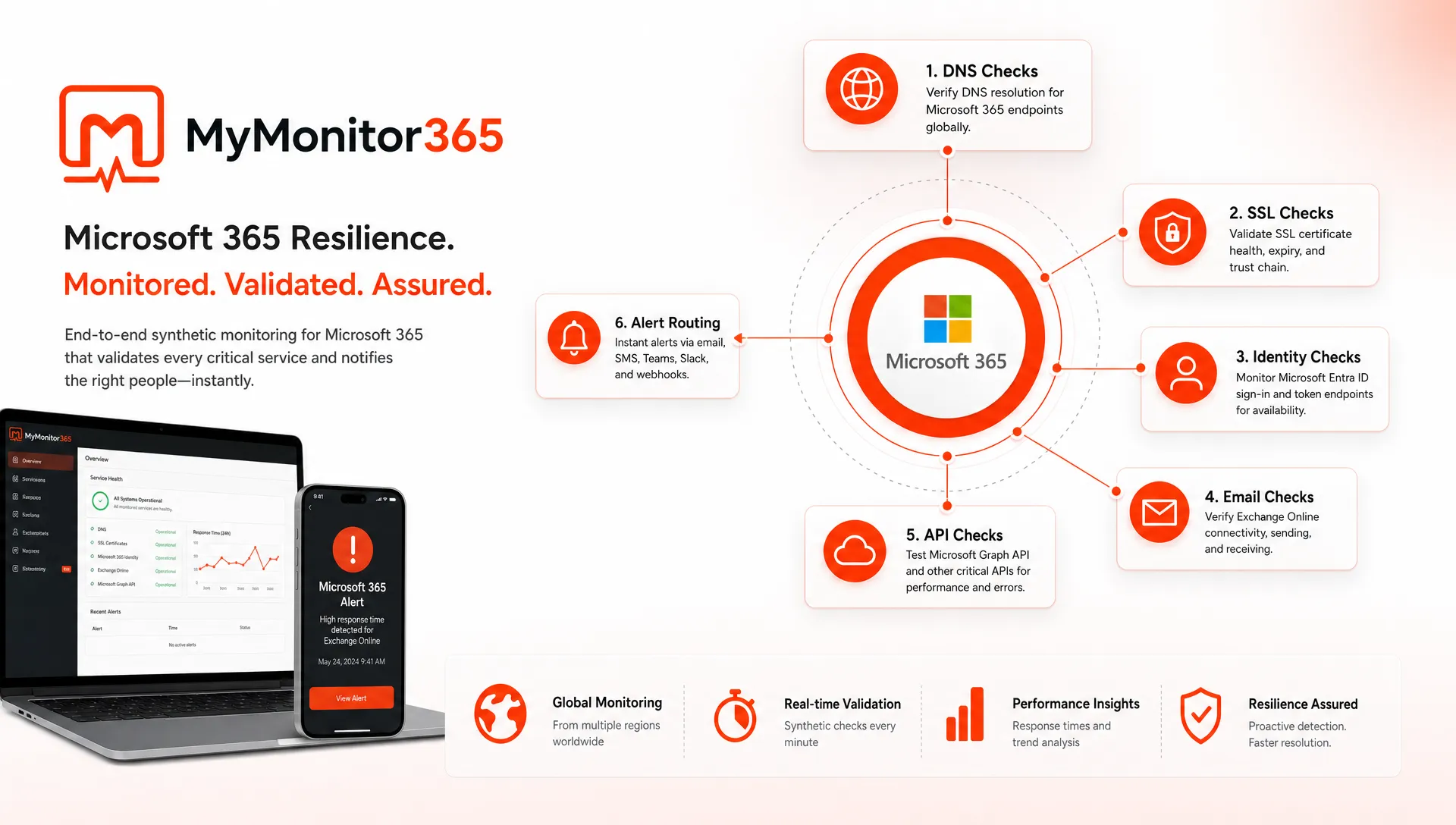
MyMonitor365 is not a replacement for Microsoft-native security tools. It complements them by monitoring the external infrastructure and service paths that support SaaS resilience. For Microsoft 365 environments, that can include HTTP/API monitoring, ping and ICMP checks, TCP port monitoring, SSL security, DNS change monitoring, multi-location monitoring, maintenance windows, keyword content checks and alert integrations.
This approach is useful for internal IT teams and MSPs that need independent availability evidence across clients, locations and services. It helps separate Microsoft-side incidents from DNS mistakes, certificate issues, network path problems and customer-owned dependencies.
Frequently Asked Questions
What is Microsoft 365 security monitoring? Microsoft 365 security monitoring is the practice of tracking identity, tenant configuration, service health, DNS, certificates, mail security, availability and alert response so IT teams can detect compromise, misconfiguration and outages earlier.
Is Microsoft 365 Service health enough for resilience? No. Service health is valuable, but it does not cover every tenant-specific issue, local network path, custom domain problem, federation dependency or customer-owned certificate. External monitoring adds an independent view.
Which Microsoft 365 dependencies should be monitored externally? Common candidates include DNS records, federation endpoints, SSO portals, SSL certificates, mail gateways, public APIs, secure proxies and critical web services connected to Microsoft 365 workflows.
How does DNS monitoring improve Microsoft 365 security? DNS monitoring detects unexpected changes to records such as MX, SPF, DKIM, DMARC, Autodiscover and CNAME entries. Those changes can affect mail delivery, spoofing protection and access to connected services.
Can MSPs use Microsoft 365 monitoring across multiple clients? Yes. MSPs benefit from multi-location checks, consistent alert severity, maintenance windows and clear escalation rules because they need to distinguish client-specific problems from regional or vendor-wide incidents quickly.
Strengthen Microsoft 365 Resilience With External Monitoring
Microsoft 365 is too central to wait for user complaints. By combining Microsoft-native security signals with external DNS, SSL, HTTP(S), API, TCP and multi-location checks, IT teams can detect outages and risky changes earlier.
MyMonitor365 helps IT operations teams and MSPs monitor uptime, performance and security across critical infrastructure with instant alerts, audit logs, maintenance windows and collaboration integrations. Use it alongside your Microsoft tools to make Microsoft 365 resilience easier to see, manage and improve.
Hashtags: #M365 #Microsoft365Security #SaaSResilience #UptimeMonitoring #ITOperations #MSP