
Security Certificate Warnings You Should Never Ignore
Learn the security certificate warnings IT teams should never ignore, what they mean, and how to monitor SSL, DNS, and TLS issues early.
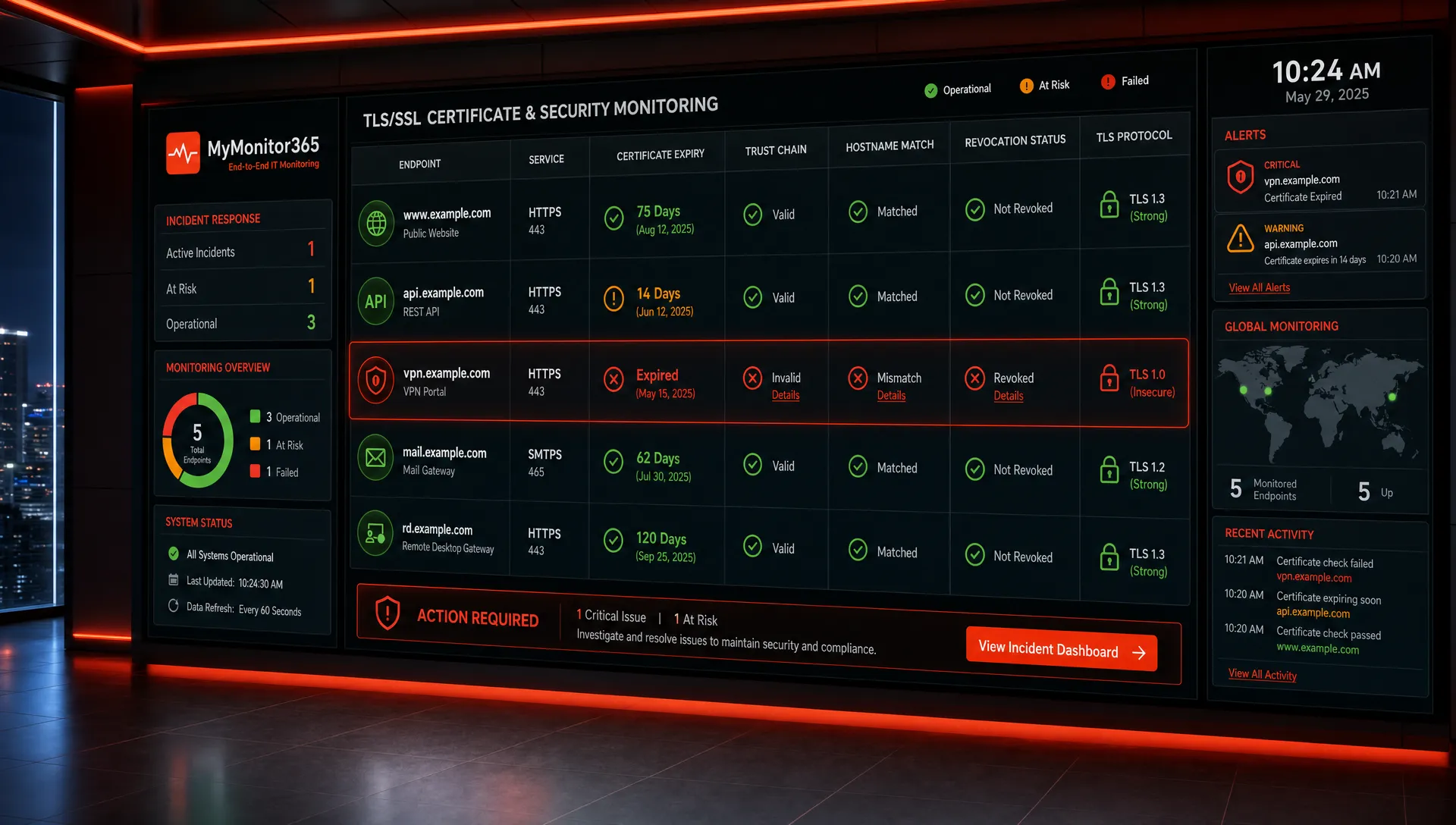
Security certificate warnings are easy to misread as small web annoyances. A user sees a red browser screen, an API client rejects a connection, or a synthetic check starts failing, and the first instinct is often to blame the browser, the user, or a temporary network hiccup.
For IT operations, that is a risky assumption. A security certificate warning means the client could not prove that the service it reached is the service it expected to reach, using a trusted and valid TLS certificate. That can indicate an expired certificate, a broken deployment, a DNS or CDN misroute, a private key incident, or a downgrade in transport security.
The right response is not to tell users to bypass the warning. The right response is to treat it as an operational and security signal, triage it quickly, and build monitoring so the next warning is caught before customers, employees, or auditors see it.
Why security certificate warnings are operational incidents
TLS certificates sit at the intersection of availability, identity, and trust. They do more than encrypt traffic. They help prove that a browser, API client, integration partner, or monitoring probe is communicating with the expected endpoint.
That is why a certificate warning can break more than a public website. It can stop SSO flows, disrupt payment callbacks, block mobile app APIs, interrupt agent check-ins, and trigger failures in third-party integrations. For MSPs, one certificate issue can also become a client confidence issue, especially when it affects a customer-facing portal or managed service.
Certificate management has also become more automation-dependent. The CA/Browser Forum Baseline Requirements define rules for publicly trusted certificates, and the industry has steadily moved away from long-lived, manually managed certificates. Shorter lifecycles reduce risk, but they also increase the cost of weak inventory, inconsistent renewal processes, and incomplete monitoring.
In other words, a security certificate warning is not just a browser message. It is evidence that something in your identity, routing, renewal, or TLS control plane may be wrong.
The certificate warnings you should treat as high priority
Not every warning has the same root cause, but several deserve immediate investigation. The table below summarizes the ones IT teams should never ignore.
| Warning or symptom | What it often means | Why it matters | Initial response |
|---|---|---|---|
| Expired or not yet valid certificate | Renewal failed, deployment lag, clock skew, or wrong certificate installed | Browsers and API clients may block access entirely | Replace the certificate, validate the chain, and confirm all edge nodes serve the same certificate |
| Name mismatch | The hostname is missing from the SAN list, or DNS points to the wrong endpoint | Users may be reaching an unintended service | Compare DNS, CDN, load balancer, and certificate SANs |
| Untrusted issuer or self-signed certificate | Wrong certificate, missing trusted root, private PKI exposure, or interception | Public clients cannot establish trust | Verify issuer, chain, and whether the endpoint should ever serve a private certificate |
| Incomplete certificate chain | Intermediate certificate missing or misconfigured | Some clients work while others fail | Install the correct intermediate chain and test from multiple client types |
| Revoked certificate | Key compromise, CA action, domain control issue, or replacement event | The certificate should no longer be trusted | Replace the certificate and investigate why revocation occurred |
| Weak TLS or deprecated algorithm warning | Old protocol, weak cipher, SHA-1 legacy certificate, or outdated appliance | Creates compliance and security exposure | Update TLS configuration and retire legacy clients where possible |
| HSTS-related hard failure | A strict HTTPS domain has a certificate or redirect problem | Users cannot bypass the error in modern browsers | Fix the certificate or routing issue immediately |
| Unexpected issuer or certificate change | CDN change, DNS hijack, shadow IT, rogue issuance, or takeover risk | May indicate traffic is being served from the wrong place | Compare certificate fingerprint, DNS history, and deployment records |
This list is not just for browser-facing properties. The same patterns matter for APIs, webhooks, VPN portals, management consoles, mail gateways, and any service where identity and encryption are part of uptime.
1. Expired or not yet valid certificates
An expired certificate is the classic outage scenario, and it is still common because renewal is only one step in a chain of dependencies. DNS validation must succeed, automation must run, the new certificate must be installed, load balancers must reload, CDN edges must receive the update, and monitoring must confirm the correct certificate is being served externally.
A not yet valid warning is less common, but just as important. It can happen when a certificate is deployed before its validity window begins, when a server clock is wrong, or when a load balancer is serving an unintended certificate from a staging process.
The first question should be: which endpoint is actually serving the bad certificate? Do not assume the certificate file in your repository or certificate manager is the one users are receiving. Check the live service from outside your network, ideally from more than one region. Multi-location checks are especially useful when a CDN, global load balancer, or anycast service is involved.
For a deeper operational view of what to monitor beyond simple expiry dates, see these HTTPS certificate checks that prevent costly outages.
2. Hostname or SAN mismatch warnings
A hostname mismatch means the certificate is valid for one name, but the client requested another. This often happens during migrations, CDN onboarding, wildcard assumptions, or new subdomain launches.
For example, a wildcard certificate for *.example.com usually covers app.example.com, but not api.us.example.com. Similarly, a certificate for www.example.com does not automatically cover the apex domain example.com unless both names are included in the Subject Alternative Name field.
Name mismatch warnings are high priority because they can reveal routing problems. DNS may be sending users to an old hosting provider, a shared CDN endpoint, a decommissioned environment, or a service that belongs to another tenant. In API environments, strict TLS validation typically fails immediately, so the first visible symptom may be application errors rather than a browser warning.
The fix is not simply to request a broader certificate. Confirm the intended hostname, the DNS target, the load balancer listener, the CDN configuration, and the certificate SAN list all agree.
3. Untrusted issuer or self-signed certificate warnings
A self-signed certificate is acceptable in some lab or private PKI contexts, but it should not appear on a public production endpoint unless that endpoint is deliberately restricted to managed clients that trust your private root.
Public-facing untrusted issuer warnings often point to deployment mistakes. A default appliance certificate may have been exposed, a reverse proxy may be serving the wrong certificate, or a private certificate may have been pushed to an internet-facing listener. In some cases, users may be behind a corporate TLS inspection proxy, but that should be verified rather than assumed.
For IT managers, the business risk is straightforward: users cannot distinguish between a harmless misconfiguration and a malicious interception attempt. Training users to bypass untrusted certificate warnings weakens your security culture and can increase the chance that a real phishing or man-in-the-middle event succeeds.
4. Incomplete certificate chain warnings
Certificate chain problems are frustrating because they can be inconsistent. One browser works, another fails. One region is fine, another reports errors. A modern desktop may have cached or preinstalled intermediates, while a mobile device, embedded client, Java runtime, or older agent rejects the connection.
An incomplete chain usually means the server is not presenting the required intermediate certificate. The leaf certificate may be valid, but the client cannot build a trusted path to a root certificate it recognizes.
When troubleshooting, inspect the live chain served by the endpoint, not just the certificate file. Pay attention to intermediates, issuer names, validity dates, and whether the chain differs across load-balanced nodes. If you need a practical inspection checklist, this guide on how to check an SSL certificate and what to look for covers the key fields IT teams should review.
5. Revoked certificate warnings
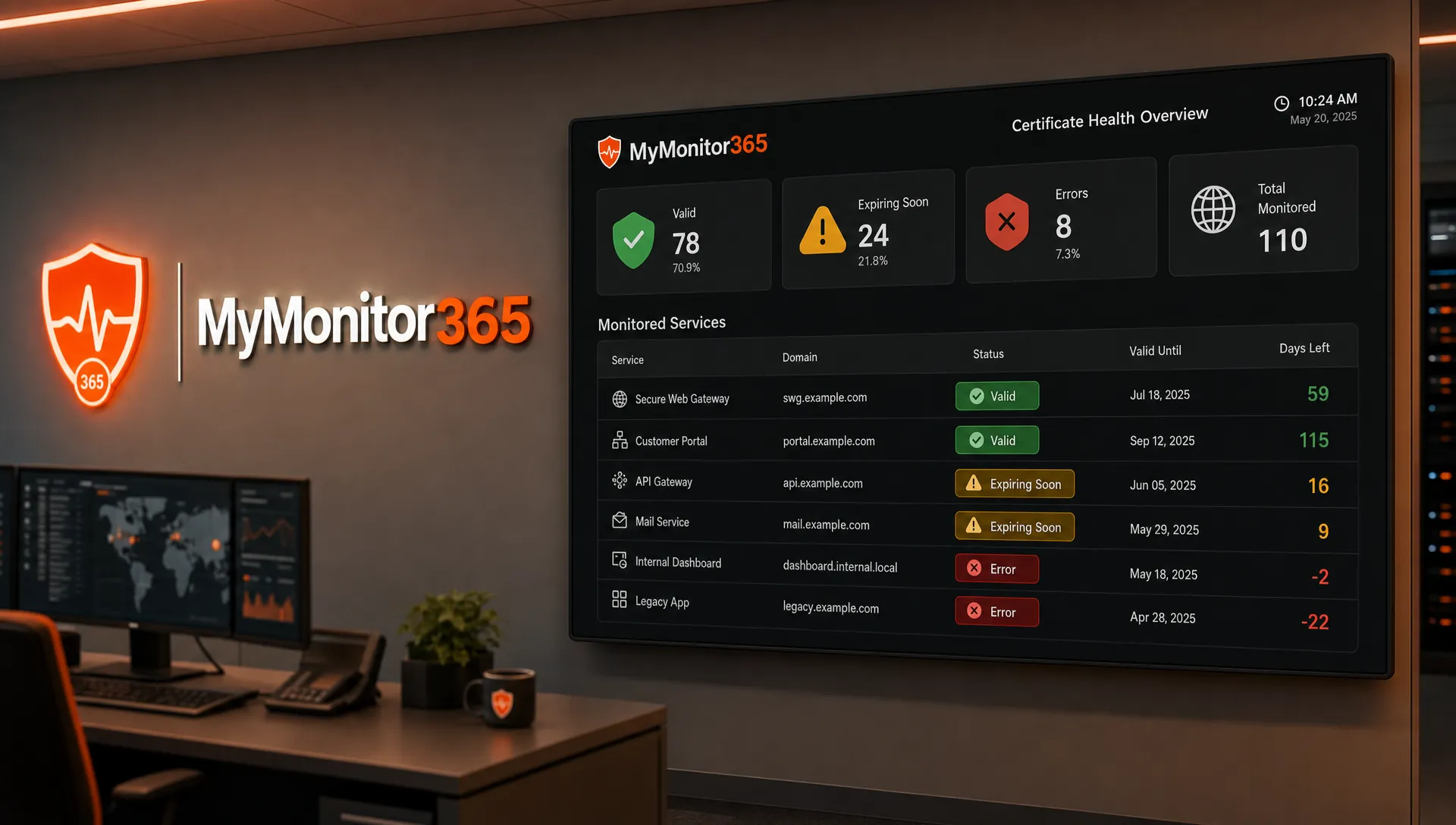
Revocation warnings deserve special attention because they can indicate that a certificate should no longer be trusted. A certificate may be revoked because the private key was exposed, the certificate was issued incorrectly, domain control changed, or the certificate authority took corrective action.
Revocation behavior can vary by browser, operating system, and network conditions, especially when OCSP or CRL endpoints are unreachable. That inconsistency should not lead teams to dismiss revocation signals. If any reliable client reports a certificate as revoked, investigate immediately.
The operational response should include replacing the certificate, rotating the key pair, confirming the revocation reason where available, and reviewing recent access to certificate storage, automation credentials, DNS validation records, and CI/CD pipelines. If the revoked certificate was used across many services, prioritize internet-facing and authentication-related endpoints first.
6. Weak TLS, deprecated protocol, or algorithm warnings
Some warnings are not about the certificate alone, but they appear to users as a connection security problem. Examples include old TLS versions, weak ciphers, obsolete signature algorithms, or legacy devices that do not support modern TLS negotiation.
The NIST SP 800-52 Rev. 2 guidance is a useful reference for TLS configuration expectations, particularly for organizations that need a formal security baseline. Mozilla also maintains practical server-side TLS configuration guidance that many engineering teams use when hardening web services.
These warnings matter because they often linger on forgotten appliances, admin panels, vendor portals, and older load balancers. They may not cause a full outage today, but they can create audit findings, block stricter clients, and become urgent when browsers or libraries remove support for legacy behavior.
7. HSTS failures and certificate errors users cannot bypass
HTTP Strict Transport Security, or HSTS, tells browsers to use HTTPS only for a domain. That is valuable protection, but it raises the stakes for certificate mistakes. If an HSTS-protected domain has an expired, mismatched, or untrusted certificate, users generally cannot click through the warning.
That is the correct security behavior, but it can turn a certificate issue into an immediate business interruption. HSTS is common on login pages, SaaS applications, payment flows, and security-sensitive portals, precisely the places where downtime is most visible.
For HSTS domains, certificate monitoring should be treated as production monitoring, not administrative housekeeping. Test redirects, apex and www behavior, subdomains covered by HSTS policy, and any CDN or WAF layer that terminates TLS.
8. Unexpected certificate or issuer changes
A sudden certificate change is not always bad. It may be caused by a planned renewal, a CDN migration, or an automated certificate authority change. But unexpected changes can also signal DNS hijacking, unauthorized infrastructure, a compromised deployment pipeline, or a domain validation issue.
This is where certificate monitoring and DNS monitoring reinforce each other. If a certificate issuer changes at the same time as an A record, CNAME, NS record, or CAA record changes, the event deserves more scrutiny than either signal would receive alone. Security and network teams should correlate the timing, confirm whether a change ticket exists, and verify ownership of the destination service.
If your team manages critical domains, pairing certificate visibility with DNS security best practices for critical domains helps reduce the chance that routing and trust problems go unnoticed.
A practical triage workflow for IT operations
When a security certificate warning appears, speed matters, but so does discipline. Rushing to replace a certificate without understanding the serving path can hide the real cause and allow the issue to return.
A reliable triage process should answer these questions quickly:
- Which hostname, port, and protocol are affected?
- Is the warning visible from one location, many locations, or only inside the corporate network?
- What certificate fingerprint, serial number, issuer, and SAN list are being served right now?
- Does the certificate differ across CDN edges, load balancer nodes, or regions?
- Did DNS, CDN, WAF, load balancer, or certificate automation change recently?
- Are browsers, API clients, mobile apps, and monitoring probes seeing the same result?
After the immediate fix, record the root cause. Was the renewal late, or was deployment incomplete? Did a DNS validation record disappear? Did a maintenance window suppress the wrong alert? Did only one edge node fail to reload? These details turn a one-time firefight into a permanent control improvement.
How to prevent certificate warnings before users see them
The strongest certificate programs combine inventory, automation, monitoring, and ownership. Automation renews certificates, but monitoring verifies that production is actually serving the right certificate to the outside world.
| Preventive control | Why it helps | What to monitor |
|---|---|---|
| Complete certificate inventory | Prevents forgotten endpoints from expiring | Public websites, APIs, admin portals, VPNs, mail services, and client-specific hostnames |
| Multi-location monitoring | Detects regional CDN or load balancer inconsistencies | Certificate validity, chain, issuer, and response from multiple regions |
| DNS and certificate correlation | Catches misrouting and takeover indicators | A, AAAA, CNAME, NS, CAA, and certificate issuer changes |
| Maintenance windows | Reduces noise during planned work | Suppressed alerts only for approved windows and affected services |
| Clear alert routing | Gets the right team involved fast | Expiry, mismatch, chain, DNS, and endpoint failures routed by service ownership |
This is where a monitoring platform should do more than send a last-minute expiry email. MyMonitor365 supports infrastructure monitoring across HTTP/API checks, SSL security, DNS changes, ping and ICMP, TCP ports, multi-location checks, maintenance windows, and alert integrations. For IT operations and MSP teams, that combination helps connect certificate warnings to the network and service conditions that caused them.
For MSPs in particular, certificate monitoring should be standardized across clients. Client portals, branded login pages, DNS zones, and vendor-managed endpoints often have different owners, but end users experience them as one service. A consistent monitoring baseline reduces alert noise, improves accountability, and makes certificate issues easier to explain during incident reviews.
Frequently Asked Questions
What is a security certificate warning? A security certificate warning appears when a browser or client cannot validate the TLS certificate presented by a website, API, or service. Common causes include expiration, hostname mismatch, untrusted issuer, incomplete chain, revocation, or weak TLS configuration.
Are security certificate warnings always caused by an attack? No. Many are caused by operational mistakes such as failed renewal, wrong certificate deployment, or DNS misconfiguration. However, the same warnings can also indicate interception, misrouting, rogue issuance, or compromise, so they should always be investigated.
Why does a certificate warning appear for some users but not others? Inconsistent warnings often point to regional CDN differences, load balancer nodes serving different certificates, cached intermediate certificates, corporate TLS inspection, DNS resolver differences, or client compatibility issues.
Should users ever bypass a certificate warning? As a general policy, no. Asking users to bypass certificate warnings trains unsafe behavior and can expose credentials or sensitive data. IT teams should fix the underlying trust issue or provide a controlled, documented exception only for tightly managed internal systems.
How often should IT teams monitor security certificates? Critical certificates should be monitored continuously, not checked manually near renewal time. Monitoring should validate expiry, hostname coverage, issuer, chain, and endpoint reachability from outside the network.
Keep certificate warnings out of production
Security certificate warnings are not cosmetic. They are early indicators that trust, routing, renewal, or encryption controls may be failing. The teams that respond best are the ones that monitor certificates as part of service reliability, not as an annual administrative task.
If you want to catch certificate, DNS, and uptime issues before users report them, start with MyMonitor365. Monitor critical websites, APIs, SSL certificates, DNS changes, and network services from multiple locations, then route alerts to the teams that can act quickly.
Hashtags
#SecurityCertificate #SSLMonitoring #TLS #UptimeMonitoring #ITOperations #NetworkMonitoring #MSP #DNSMonitoring